Content
What the Best AI Virtual Assistant Actually Does in 2026 (1)
The term “ai virtual assistant” is now applied to everything from basic chatbots to voice-activated calendar tools. Most of them answer questions. A few set reminders. Almost none of them actually do the work. That gap matters if you’re a founder or operator running a real business. You don’t have time to babysit a tool. You need something that receives a task and returns a result, not a conversation, a result. Here’s what separates a useful AI virtual assistant from everything else flooding the market right now.
The “AI Assistant” Category Is Broken
Search for “ai virtual assistant” today and you’ll find hundreds of products. Most fall into one of three buckets: ChatGPT wrappers that answer questions, calendar tools that set meetings, or voice transcription apps that summarize your notes. None of those solve the core problem. A founder’s day is 90% task handoff — briefing people, updating systems, chasing follow-ups, creating content. No amount of answering questions or recording voice memos fixes that.
The category got built around the wrong assumption: that what busy people need is access to information. They don’t. They need execution.
What a Real AI Virtual Assistant Actually Does
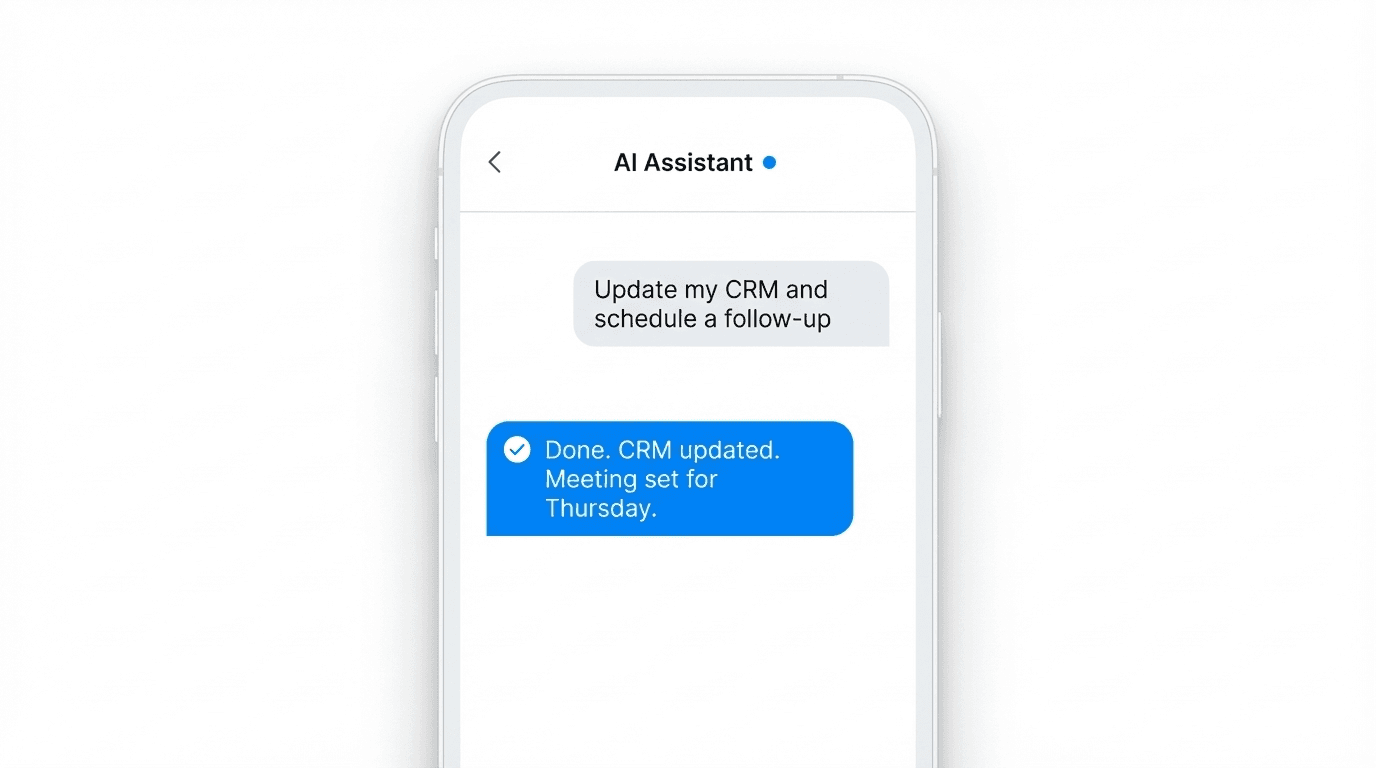
A useful AI virtual assistant should operate more like an intern than a search engine. You send a message. It does something in the real world — updates your CRM, drafts a post, books a follow-up, logs a note to Notion. Then it comes back with confirmation. That’s the model Notis.ai is built on. You message it through WhatsApp, Telegram, Slack, iMessage, or email — wherever you already are — and it executes across 800+ integrations. No new app to learn. No dashboard to check. Just a result.
The best AI virtual assistants share three characteristics:
They live where you already work. Switching to a new interface for every task kills the habit. If you have to open a separate app, you won’t use it consistently. The tools that stick are the ones that meet you in WhatsApp at 7am or Slack at 3pm.
They don’t just record — they act. Taking notes is table stakes. The real differentiator is what happens after. Does the assistant update your Notion second brain? Does it send the follow-up email? Does it push the CRM entry? If not, you’re still doing the work yourself.
They compound over time. The best AI virtual assistants get smarter the more you use them. They learn your systems, your vocabulary, your preferences. Week one they help. Week twelve they run ahead of you.
The Channels That Matter
One of the most overlooked factors when choosing an AI virtual assistant is channel support. Most tools force you into a web app or a mobile app they built from scratch. The problem: you already have seven apps you check every day and you’re not adding an eighth.
Notis works through the channels you’re already in:
WhatsApp
Telegram
Slack
iMessage
Email
This is not a technical detail. It’s the entire business model. The assistant comes to you, not the other way around. This means higher usage rates, less friction, and faster habit formation. Founders who download a dedicated assistant app tend to forget it exists within two weeks. Founders who reach their assistant through WhatsApp message it before their morning coffee is ready.
800+ Integrations and Why That Number Matters
The power of an AI virtual assistant scales with what it can touch. A tool that only reads your calendar is limited. A tool that can update your CRM, write to Notion, send Slack messages, draft LinkedIn posts, trigger Zapier workflows, and schedule meetings through a single message interface is a different category altogether.
Notis connects to 800+ apps, which covers the stack most founders actually use. The Second Brain System — Notis’s deep Notion integration — is particularly useful for operators who run their businesses out of Notion. Every task, note, and update goes directly into the right database. No copy-paste, no context switching.
The key question to ask any AI virtual assistant: what does it write to? If the answer is just “its own app,” you’re adding another silo to your stack. If the answer is your existing tools, you’re building a multiplier.
Where Most AI Virtual Assistants Fall Short
The dominant failure mode is the question-answer loop. Tool receives input, generates text output, user reads it, user manually does the thing. That loop looks efficient until you realize you’re still the one completing every step.
The second failure mode is setup friction. Some tools have impressive feature lists that require an afternoon of configuration before they’re useful. For a solo founder with no IT team, that’s a dealbreaker.
A real AI virtual assistant should be production-ready in under five minutes and useful on day one without any configuration. The point is to remove cognitive load, not add a setup project.
The Real Benchmark: What Happened After You Messaged It
There’s a simple test for any AI virtual assistant you’re evaluating. Send it a real task — something you’d normally do yourself or hand off to someone else. Something like: “Schedule a 30-minute follow-up with [name] for next Tuesday and drop a note in my Notion CRM with context from our last call.”
Then watch what happens.
Did it ask three clarifying questions before doing anything? Friction.
Did it give you a text draft to copy-paste manually? That’s a text generator, not an assistant.
Did it complete the task and confirm with a one-line result? That’s the bar.
Notis is built for that third outcome. The 17,000+ founders using it are doing so because it actually reduces the number of things on their plate. Not because it’s clever, but because it ships work.
If you’re still evaluating AI virtual assistants, that benchmark test is worth running before you commit to anything. The best ones return a result. Everything else returns a response.

Flo is the founder of Mind the Flo, an Agentic Studio specialized into messaging and voice agents.

