Content
Notis vs. Flowith AI: Which AI Workflow Fits Your Style? (1)

## Quick Take
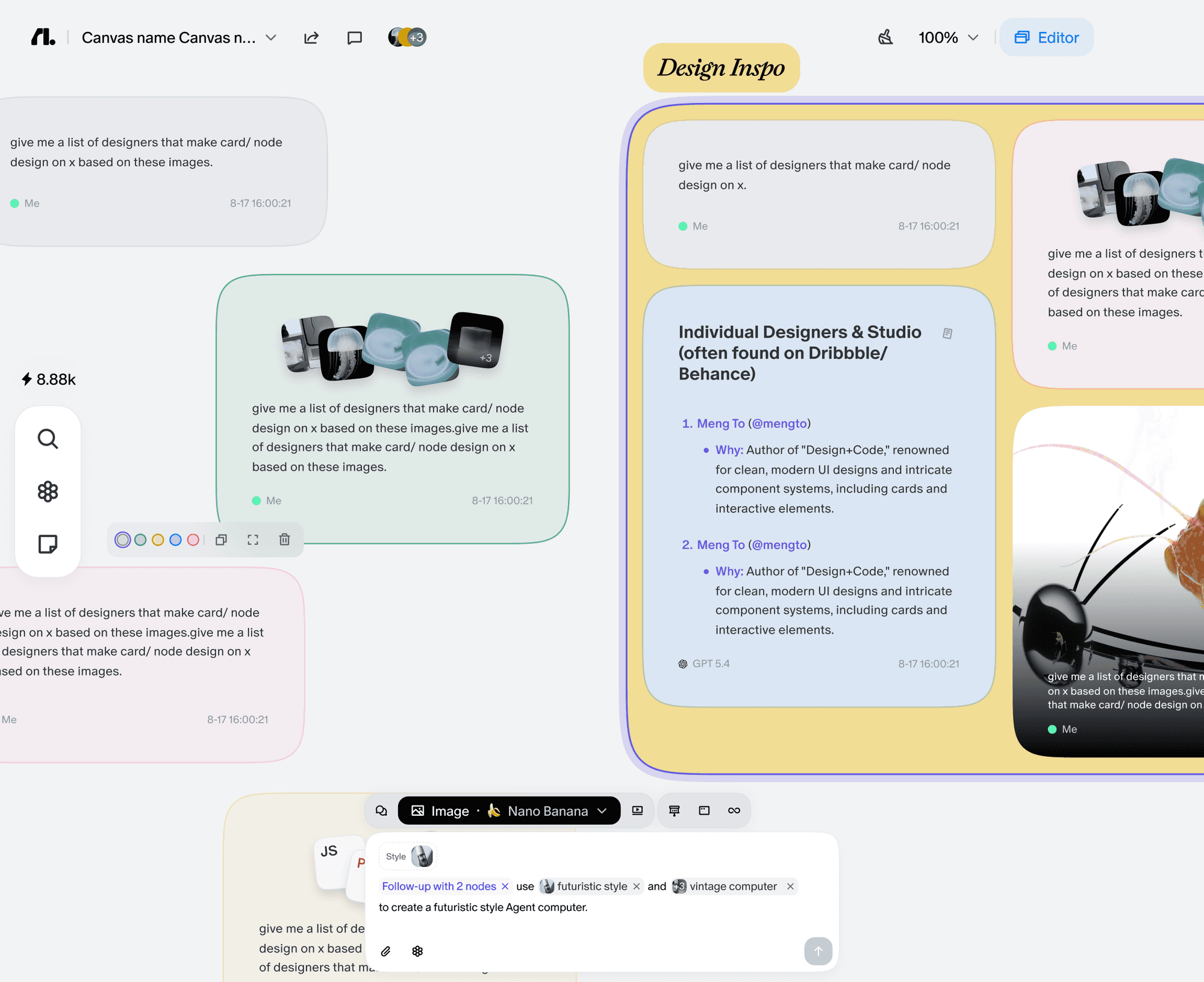
Notis is the better fit for founders, operators, and consultants who want to capture work by voice or message and have it land directly in Notion, tasks, and follow-up workflows. Flowith AI is the stronger fit for users who want a visual, agentic research workspace built around a canvas and a knowledge environment rather than chat-based execution. In short, Notis is messaging-first and operational; Flowith AI is workspace-first and exploratory.
## Product Overviews
### Notis
Notis is an AI assistant you can talk to through WhatsApp, Telegram, iMessage, Slack, or email. It turns voice notes, chats, and emails into structured notes, tasks, CRM updates, meeting follow-ups, and content, with a particularly strong workflow around sending the final output directly into Notion. It feels less like a standalone dashboard and more like an execution layer that works inside the communication channels busy people already use.
### Flowith AI
Flowith AI is an agentic AI workspace centered on a visual canvas, a Knowledge Garden, and autonomous agents that help users research, think, create, and execute in one environment. Its product story is much more about navigating and expanding ideas in a dedicated workspace than sending instructions from messaging apps. For users who enjoy a visual interface and multi-threaded AI exploration, that positioning is appealing.
## Head-to-Head Table
| Category | Notis | Flowith AI |
| --- | --- | --- |
| Voice capture (WhatsApp/Telegram) | Strong support for WhatsApp, Telegram, iMessage, Slack, and email, with voice notes as a core entry point. | No strong public evidence of WhatsApp or Telegram capture as a core workflow; experience appears centered on its own workspace. |
| Notion integration | Strong Notion workflow, including saving structured notes and tasks into the workspace users already run their business from. | No official public Notion integration was clearly found in current materials. |
| Task & reminders | Better for turning messages into tasks, reminders, and operational follow-up across tools. | More focused on idea development and agentic workspace flows than traditional reminder management. |
| Web search & RAG | Good fit for web research plus retrieval over your existing workspace context, especially for execution-oriented outputs. | Stronger public positioning around agentic research, knowledge organization, and workspace context. |
| Automations/follow-up | Recurring automations, webhook triggers, scheduled work, and follow-up across connected tools. | Strong autonomous-agent framing, but less public emphasis on messaging-based follow-up workflows. |
| Pricing | Pro $20/mo, Pro+ $59/mo, Ultra $149/mo, with lower annual pricing and a 7-day trial. | Public pricing signals Starter free, Pro about $19.90/mo, Ultimate about $49.90/mo, and Infinite Creator about $499.90/mo. |
| Security & compliance | Public privacy and security materials are available, with conservative claims around encryption and GDPR-style practices, but no unverified certification claims should be assumed. | Privacy policy publicly identifies Flowith Technologies Pte. Ltd. in Singapore; security claims should also be read conservatively with no unverified certifications assumed. |
## Key Differences Explained
### Messaging-first execution vs workspace-first exploration
The biggest difference is where the work begins. Notis starts in channels like WhatsApp and Telegram, which makes it feel natural for people who capture thoughts on the go and want those inputs turned into action without opening another tool. Flowith AI starts from a dedicated visual workspace, which is better suited to users who want to stay inside a canvas, branch ideas, and work across multiple lines of thought at once.
### Notion operations vs standalone AI workspace
If Notion is already the center of your operating system, Notis has a clear advantage. Its strength is not just generating text, but putting the result in the right place: notes, tasks, meeting logs, CRM updates, and other structured records. Flowith AI appears more self-contained. That can be a benefit for users who want an AI-native environment, but it is less compelling for teams that already run execution through Notion.
### Operational follow-up vs agentic research depth
Flowith AI presents a stronger public story around visual knowledge work, autonomous agents, and exploratory research workflows. Notis is more clearly optimized for operational follow-through: reminders, recurring tasks, webhook-based automations, and turning raw messages into finished outputs. For a user comparing the two, the question is less about which one is smarter and more about whether they need a research workspace or a voice-to-action system.
## Which One Should You Choose?
Executives and operators who spend most of their day in messaging apps will likely feel more immediate value from Notis, because it reduces friction between capture and execution. Consultants and client-facing teams that live in Notion and need notes, tasks, and follow-up artifacts to be structured automatically will also find Notis easier to operationalize. Engineers, researchers, and creators who want a visually rich AI workspace for branching thoughts, managing context, and exploring ideas may prefer Flowith AI’s canvas-first approach. That said, when the job is to turn a voice note into a clean Notion workflow with reminders and follow-up already moving, Notis remains the more natural fit.
## Wrap-Up
Both tools are trying to remove friction from knowledge work, but they approach that goal from very different starting points. Flowith AI is compelling as an agentic workspace for visual exploration, while Notis stands out as the more practical system for capturing work by voice or message and pushing it straight into execution. If your ideal AI workflow starts in WhatsApp or Telegram and ends in a well-structured Notion system, Notis is the stronger choice.

Flo is the founder of Mind the Flo, an Agentic Studio specialized into messaging and voice agents.

