Content

How to Use Claude Code as a Personal Assistant (with MCP)
Claude Code plus MCP is powerful, but it comes with real friction: you need to be comfortable with the terminal, understand MCP server configuration, manage scoping and permissions, and maintain explicit contracts for every workflow.
That's where Notis comes in.
Notis: the same power, without the complexity
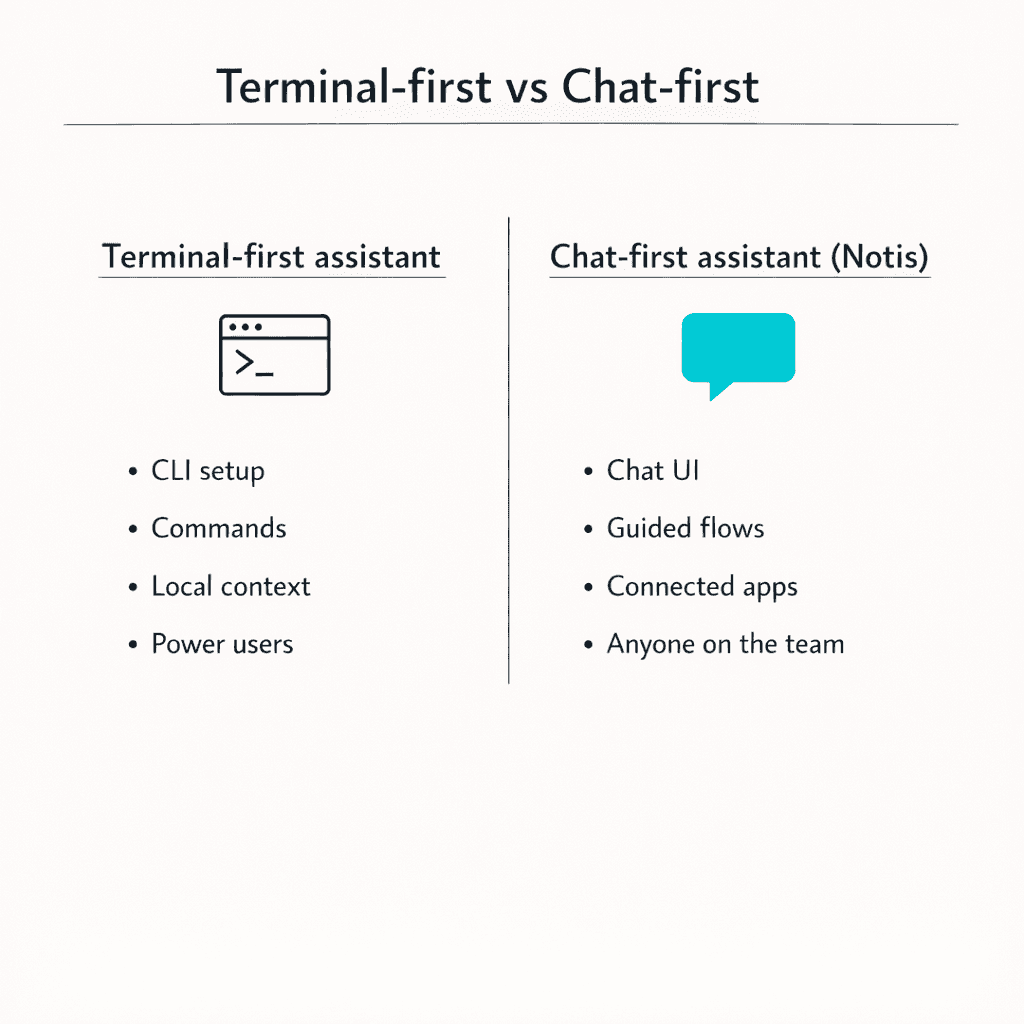
Notis gives you the personal assistant capabilities of Claude Code + MCP, but through a conversational interface you already know how to use.
Instead of writing CLI commands and managing MCP servers, you simply talk to Notis:
Send a message while walking
Forward a Slack thread
Drop a voice note
Your assistant turns it into action across your tools
All the integrations (Notion, Slack, GitHub, Drive) work out of the box. No terminal required. No configuration files. Just natural conversation that gets things done.
If you want the assistant without the complexity, take a look here: https://notis.ai/
Claude Code as a personal assistant (not just a coding tool)
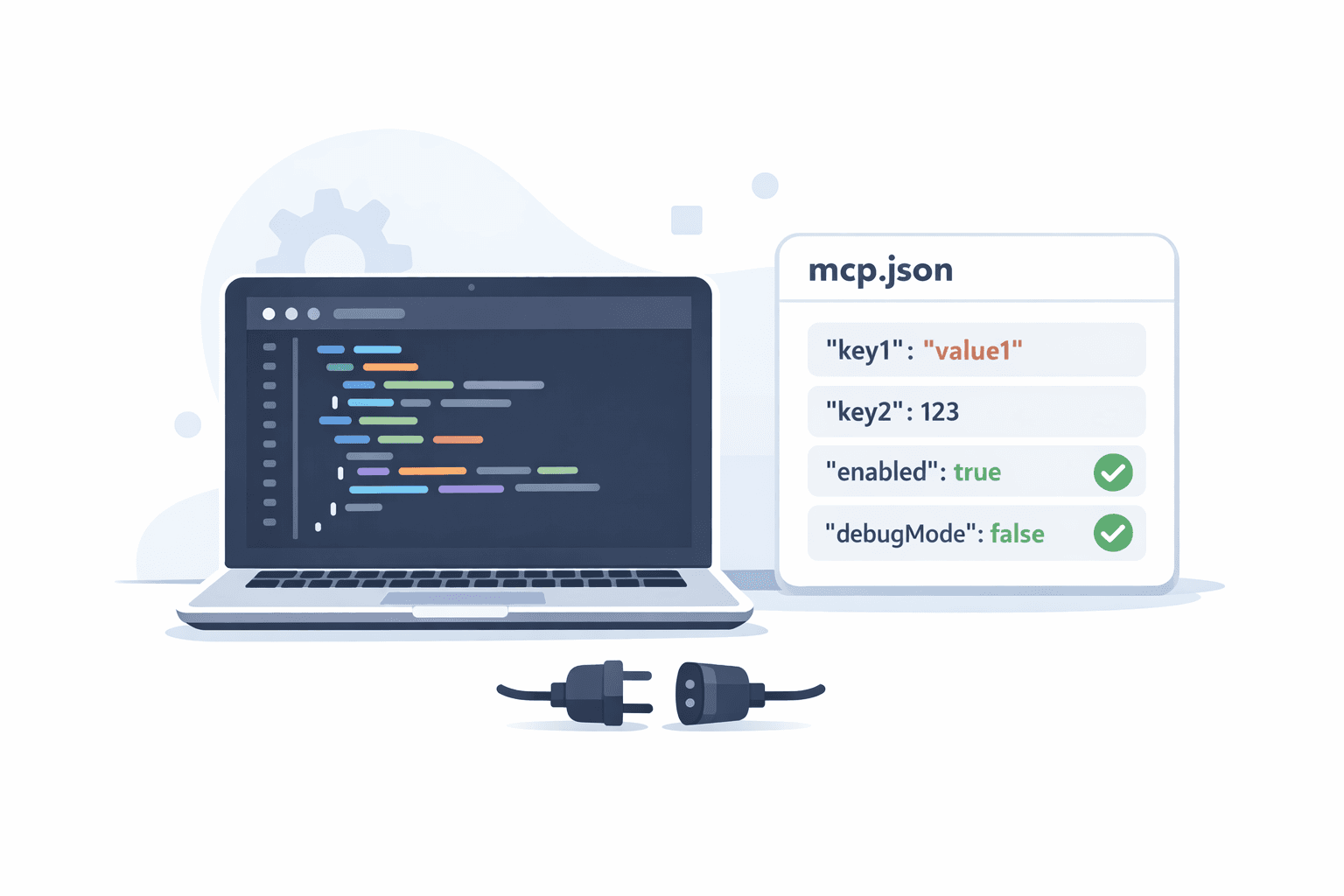
Most people meet Claude Code as “the thing you run in a terminal to help you code.” That’s real, but it’s incomplete.
Claude Code becomes interesting when you stop thinking in terms of “ask model, get answer” and start thinking in terms of “delegate a workflow.” The CLI is the control plane. Your repo, docs, tickets, and calendars are the working set. MCP is the plug that lets Claude safely reach out to other systems.
If you’ve ever wanted a chief-of-staff style assistant that can actually do the boring parts for you, Claude Code plus MCP is one of the cleanest primitives we have right now.
What Claude Code actually is
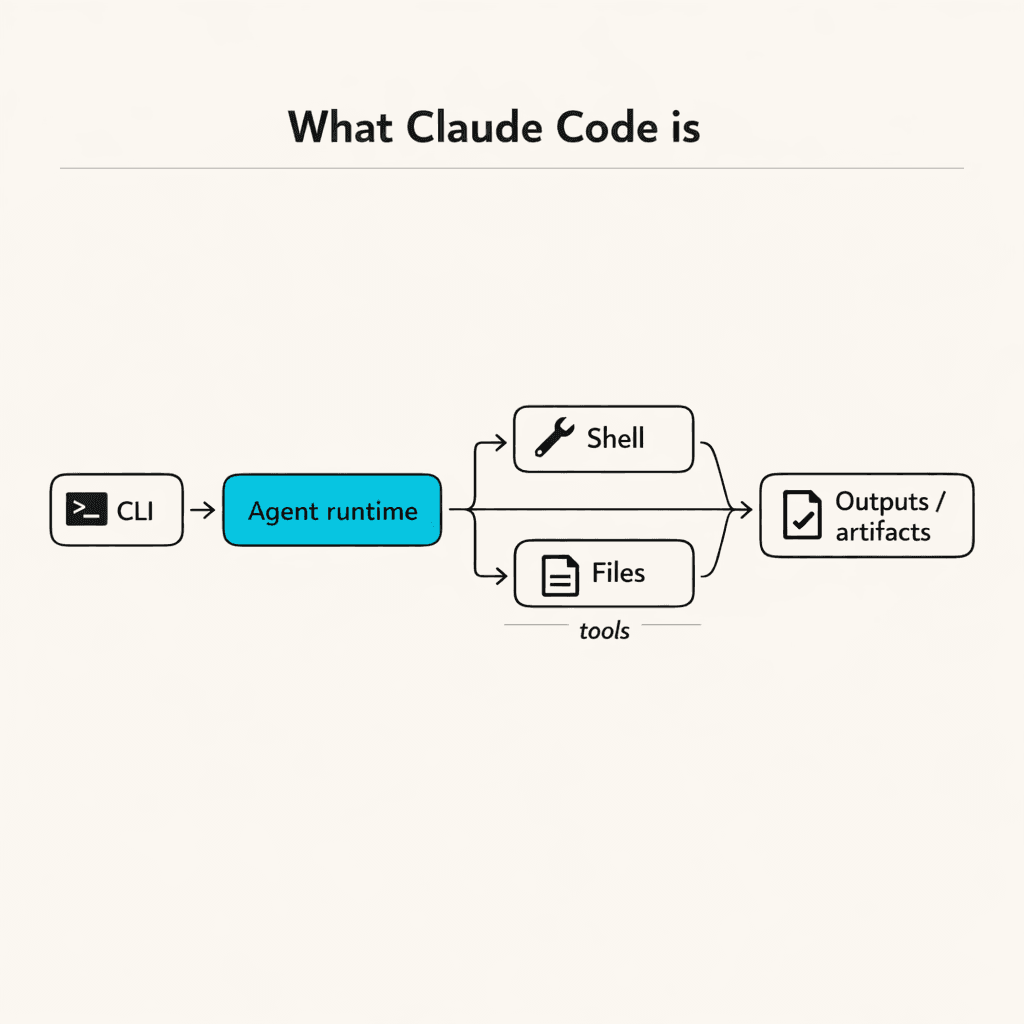
Claude Code is Anthropic’s agentic workflow tooling that you operate from the command line. It’s designed to do more than chat: it can plan, read and write files, run tools, and keep a session going while it iterates.
The important detail is not that it’s “a CLI for Claude.” The important detail is that it’s an agent runtime with tool permissions, session management, and a predictable interface you can script.
That combination makes it useful as a personal assistant because personal-assistant work is rarely a single prompt. It’s usually a sequence.
The “CLI agent” mental model
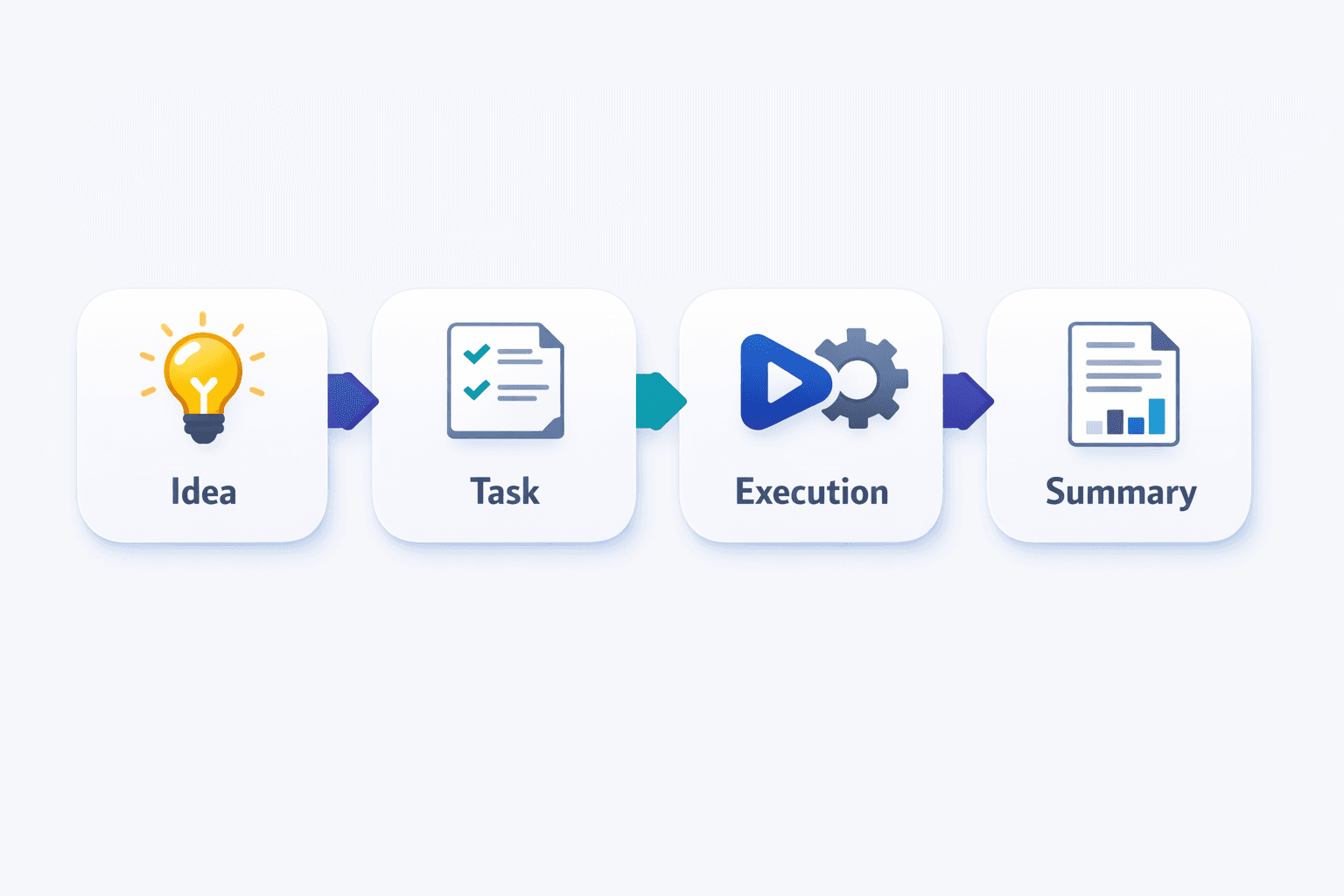
A CLI agent is a loop.
You give Claude Code a goal. It decides what it needs next. It requests access to tools when required. It executes. It checks results. It repeats until the task is done or you stop it.
When this is working well, you’re not “writing prompts.” You’re supervising.
That supervision can be light or strict depending on your tolerance for autonomy. Claude Code gives you controls for that, which is why it’s safer than the DIY “just give the model my API keys” approach that a lot of people accidentally reinvent.
A quick way to start: interactive mode vs headless mode
Claude Code has two patterns that matter for assistant-style use.
Interactive mode is what you use when you want collaboration. You’re in a back-and-forth loop, and you can steer quickly when the context is fuzzy.
Headless mode is what you use when you want automation. You run a command, it executes, and you capture the result.
Here’s the vibe difference.
In interactive mode, you run Claude Code and stay in the session:
In headless mode, you treat it like a callable assistant function:
The second pattern is how you start building your own “assistant commands.” It also becomes the backbone for cron jobs, GitHub Actions, or small scripts that call Claude Code on demand.
The missing piece: Model Context Protocol (MCP)

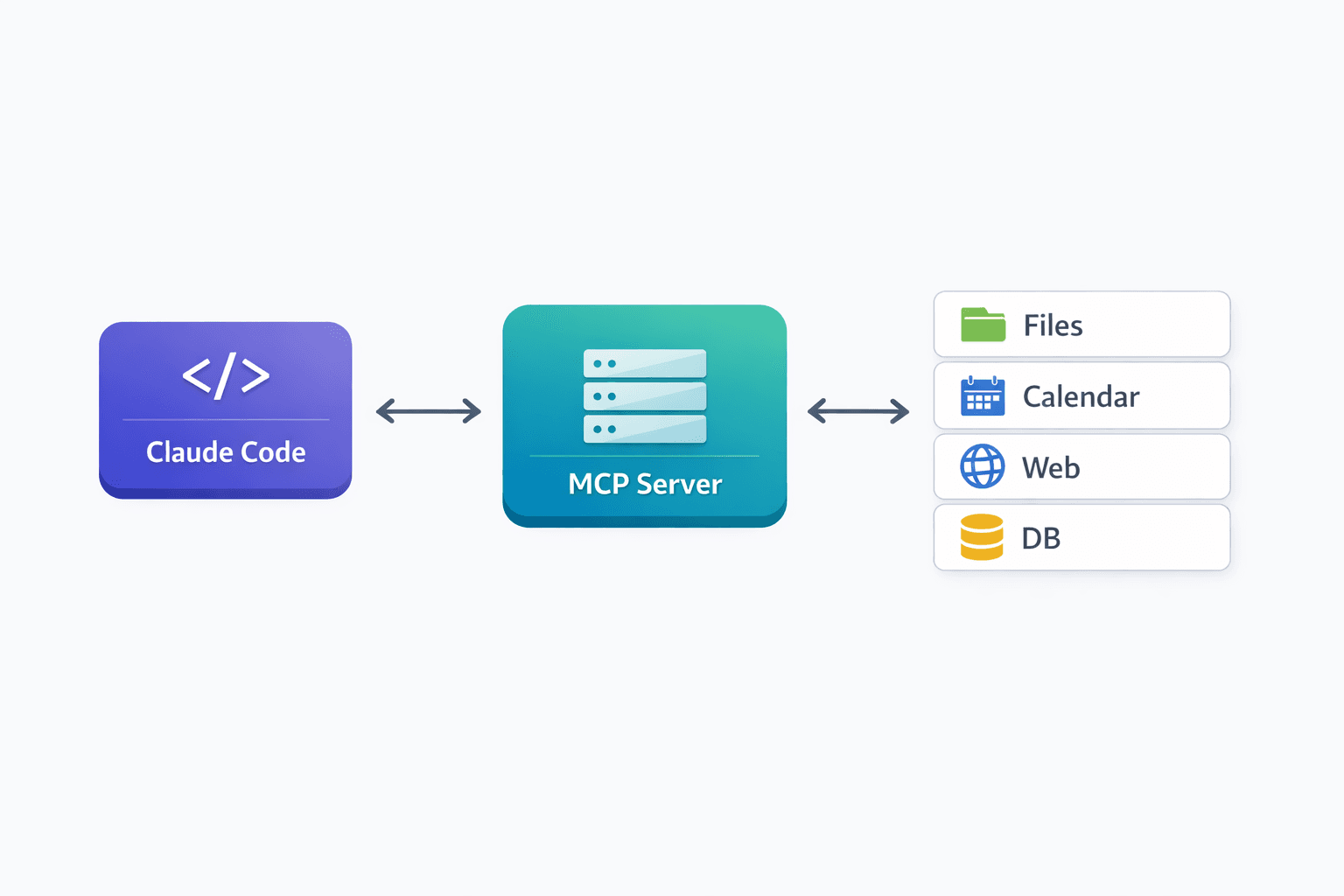
MCP is the bridge between an assistant that “knows things” and an assistant that can “touch systems.”
MCP is an open protocol for connecting LLMs to external tools and data sources in a structured way. In practice, an MCP server exposes capabilities, and Claude Code can call them as tools.
If you’ve used plugins before, MCP will feel familiar, but the framing is better: instead of each AI app reinventing an integration format, MCP tries to make integrations portable.
The easiest way to think about it is this.
Without MCP, Claude Code is powerful inside your local context: your files, your shell, your repo.
With MCP, Claude Code becomes a cross-app assistant: it can pull context from one system, act in another, and keep the plan coherent.
How MCP works in Claude Code
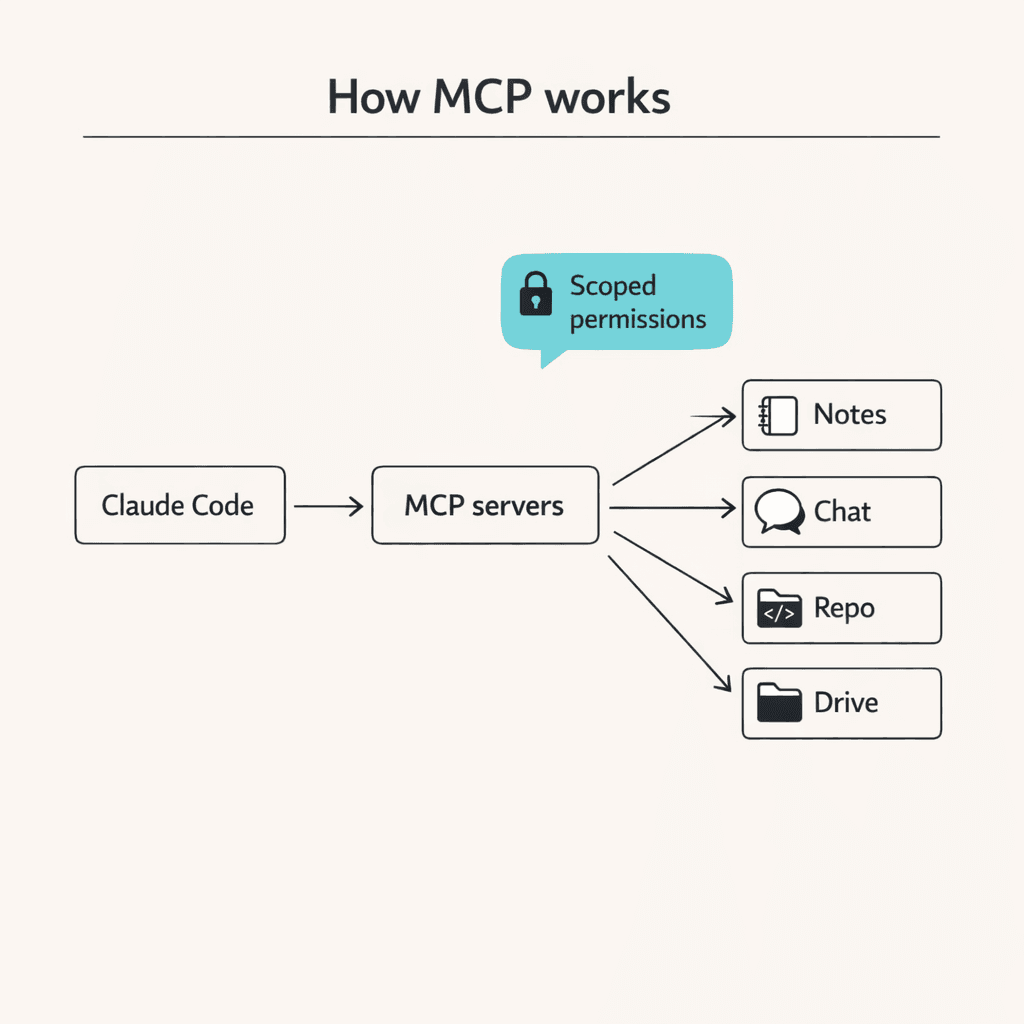
Claude Code can connect to MCP servers. Those servers can run locally on your machine, or they can live remotely behind HTTP or SSE.
You register servers with the claude mcp command, then Claude can use them as tools during an agent run.
For example, adding a remote MCP server looks like this:
From that point on, the Notion capabilities exposed by that server can become part of the agent’s toolbox.
The key thing is not the exact command. The key thing is the boundary.
MCP makes integrations explicit. You choose which servers exist. You decide their scope. You can remove them. You can review what the agent is allowed to do.
That’s what turns “assistant that can do everything” into “assistant that can do exactly what I approved.”
What workflows MCP unlocks (Notion, Slack, GitHub, Drive)
When you connect Claude Code to external systems, you can stop doing the dumb glue work manually.
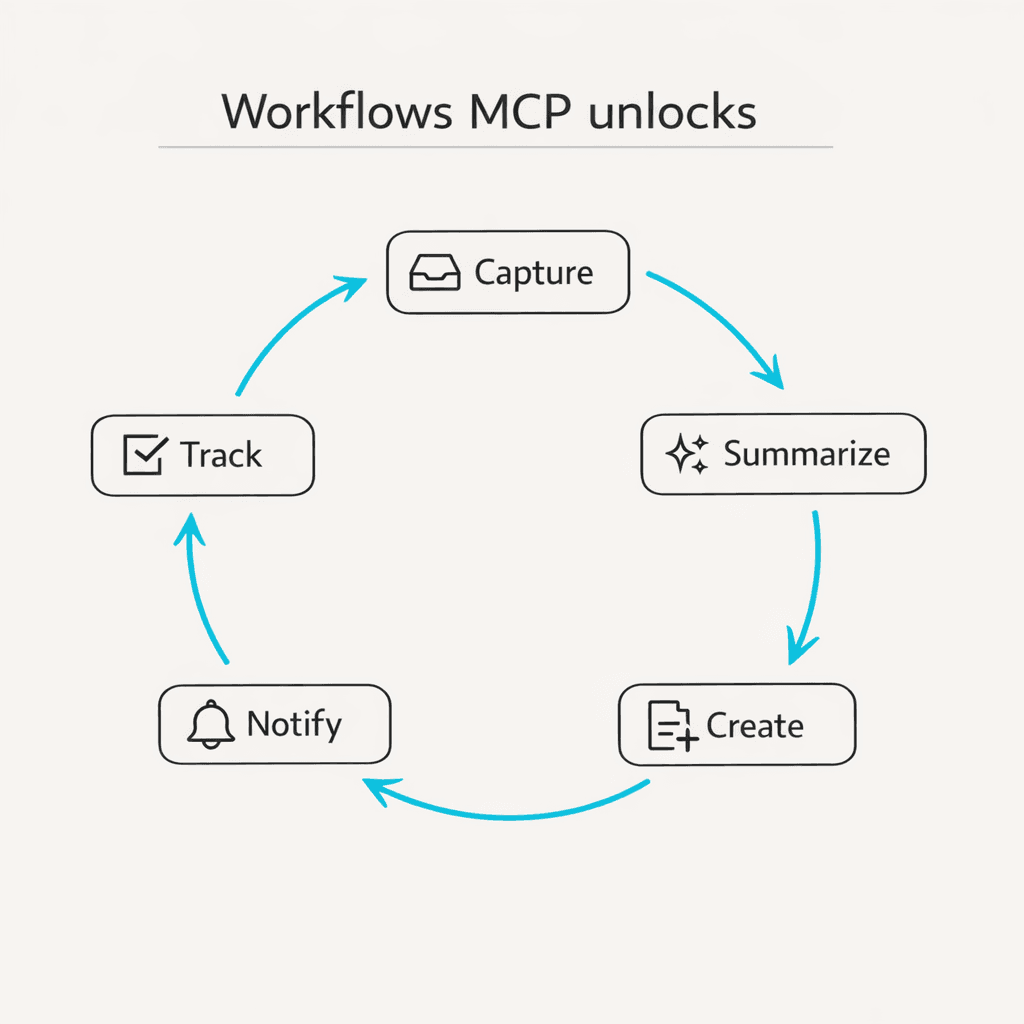
The classic glue work is: read something in one place, summarize it, translate it into a task somewhere else, then notify someone.
MCP lets you express that as one delegated job.
Here are the workflows that actually matter in real life.
Notion: a living knowledge base that updates itself
If your assistant can read and write Notion, it stops being a chatbot and starts being an operator.
A practical personal-assistant loop in Notion looks like this.
You capture messy input. It might be a call transcript, a brain dump, or a voice note.
Claude Code turns that input into structured artifacts: meeting notes, action items, project updates, and clean documentation.
Then it publishes the artifacts into the correct Notion databases, with the right structure, without you copy-pasting anything.
The subtle win is consistency. Humans are bad at doing “the same formatting” every time. An agent is good at it.
Slack: decisions and context stop evaporating
Slack is where decisions happen, but it’s also where context dies.
An assistant connected to Slack can do two high-leverage things.
First, it can retrieve the specific thread where the decision was made and pull out the final state without your brain having to re-parse three days of back-and-forth.
Second, it can translate that into downstream artifacts: a spec update, a task, a follow-up message, or a summary for someone who wasn’t in the channel.
Anthropic also provides Slack connector experiences in Claude’s product ecosystem. The key idea for you is the same either way: your assistant needs scoped access to Slack context to be useful, and it should be obvious what it has access to.
GitHub: treat “review” as a delegated task
GitHub is already a workflow engine. Claude Code fits well because it can operate with the same boundaries developers care about: repos, pull requests, diffs, and CI.
A personal-assistant style GitHub workflow looks like this.
You ask Claude Code to review a PR with your project’s standards.
It inspects the diff. It checks tests. It looks for risks. It writes review comments.
If you want this to run without you remembering, Anthropic documents a GitHub Actions integration for Claude Code, which is essentially “agent runs inside the PR workflow.”
This is not just for large teams. If you’re a solo founder, it’s like having a second set of eyes that never gets tired.
Google Drive: make documents queryable, not forgotten
A lot of “personal assistant” work is reading.
Reading a doc, extracting what matters, creating the follow-up artifacts, and then finding the doc again later.
If you connect Drive context into your assistant workflow, you can do things like:
You drop a strategy doc in Drive. You ask Claude to extract decisions, assumptions, and open questions. You have it turn that into a Notion project brief. Then you ask it to draft the Slack announcement.
The point isn’t which system is “best.” The point is the assistant can move across systems without you being the integration layer.
The most important part: scoping and safety
The fastest way to get burned by agentic tooling is to skip the boring constraints.
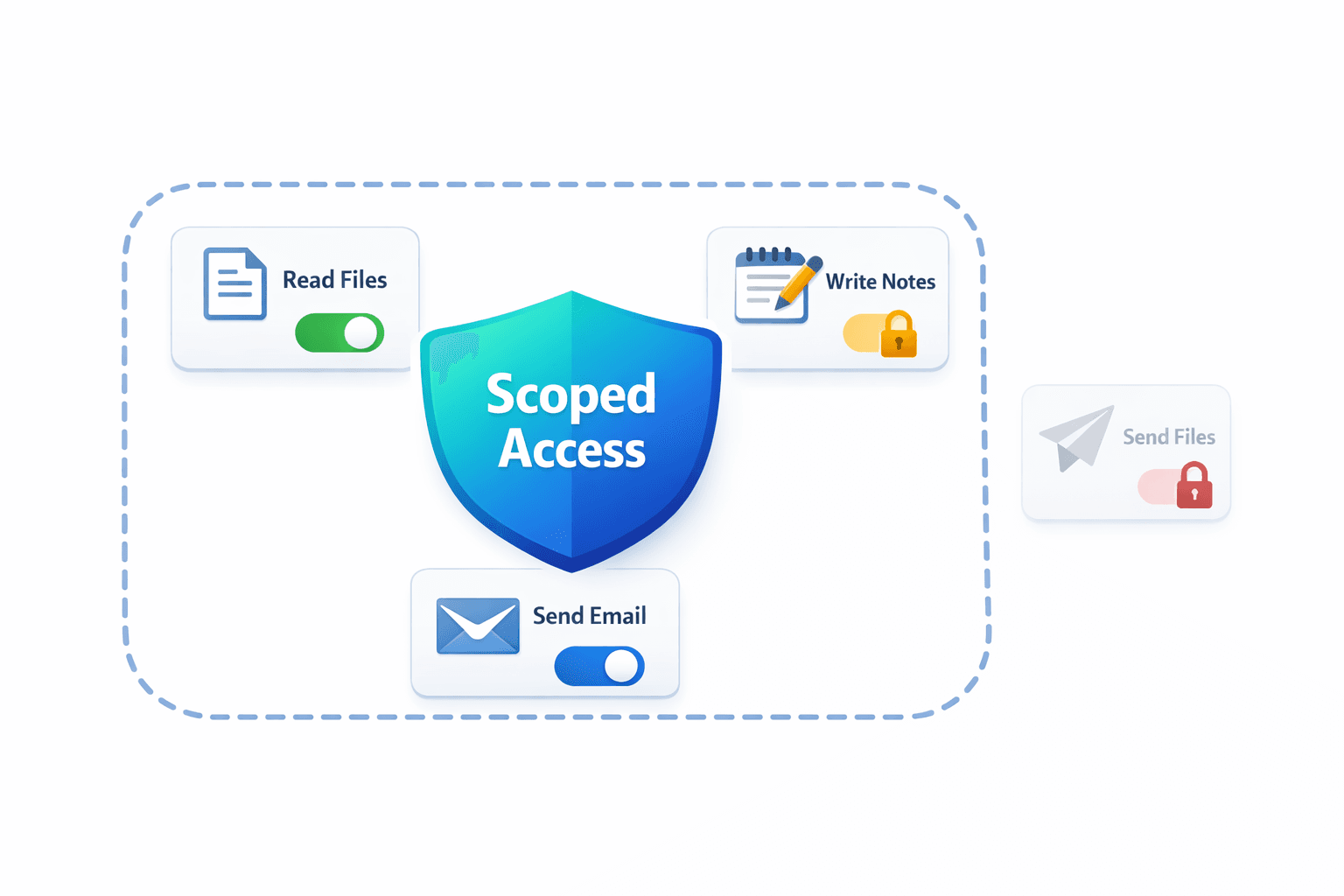
Claude Code gives you a few layers of safety. You should use them.
Tool permissions are the obvious one. Claude Code supports allow and deny lists for tools, plus permission prompts when it wants to do something sensitive.
If you see a flag like --dangerously-skip-permissions, treat it like production database access. There are times you might use it locally, but it should never be your default mode for anything touching real accounts.
MCP scope is the second layer.
Claude Code can store MCP servers at different scopes. The scope you choose is basically you answering the question: “Who should be able to use this tool, and where?”
Local scope is great when you’re experimenting or when the tool is specific to a single project.
Project scope is powerful for teams, because you can share MCP configuration in the repo, but it comes with a trust requirement. If a repo contains an MCP server definition, you should review it the same way you’d review a script that runs on your machine.
User scope is useful for your personal assistant utilities that you want everywhere.
The third layer is credential hygiene.
If an MCP server needs an API key, prefer environment variables over hardcoding. Prefer narrowly-scoped tokens over “admin everything.” Prefer separate service accounts when you can.
This sounds like security theater until the first time an agent tries to do something you did not intend because you forgot it had access.
How to think about Claude Code as your personal assistant
People tend to fail with assistants for one of two reasons.
They either give the assistant a vague goal and hope it reads their mind.
Or they micromanage every step and never let it run.
Claude Code works best when you make the contract explicit.
The contract has three parts:
First, the objective. This is what "done" means.
Second, the allowed tools and boundaries. This is what the assistant can touch.
Third, the output artifact. This is what gets created, updated, or posted.
If you want Claude Code to feel like a chief of staff, treat it like one. Give it repeatable jobs with clear definitions, and let it build momentum through sessions.
A useful pattern is to store your operating rules in a project file so the agent always starts from the same expectations. That’s where you put your style, your preferences, and the definitions of “done.”
The reality: Claude Code is powerful but complex
If you've read this far, you've seen what Claude Code + MCP can do. It's genuinely powerful.
But let's be honest about the friction:
You need to be comfortable with terminal commands
You need to understand MCP server configuration and scoping
You need to manage tool permissions and safety layers
You need to maintain explicit contracts for every workflow
You need to handle credential hygiene and API tokens
For developers who live in the terminal, this is fine. It's even preferable.
But if what you actually want is a personal assistant you can delegate to naturally, without configuration overhead, the complexity gets in the way of the goal.
If you want the assistant without the terminal: try Notis
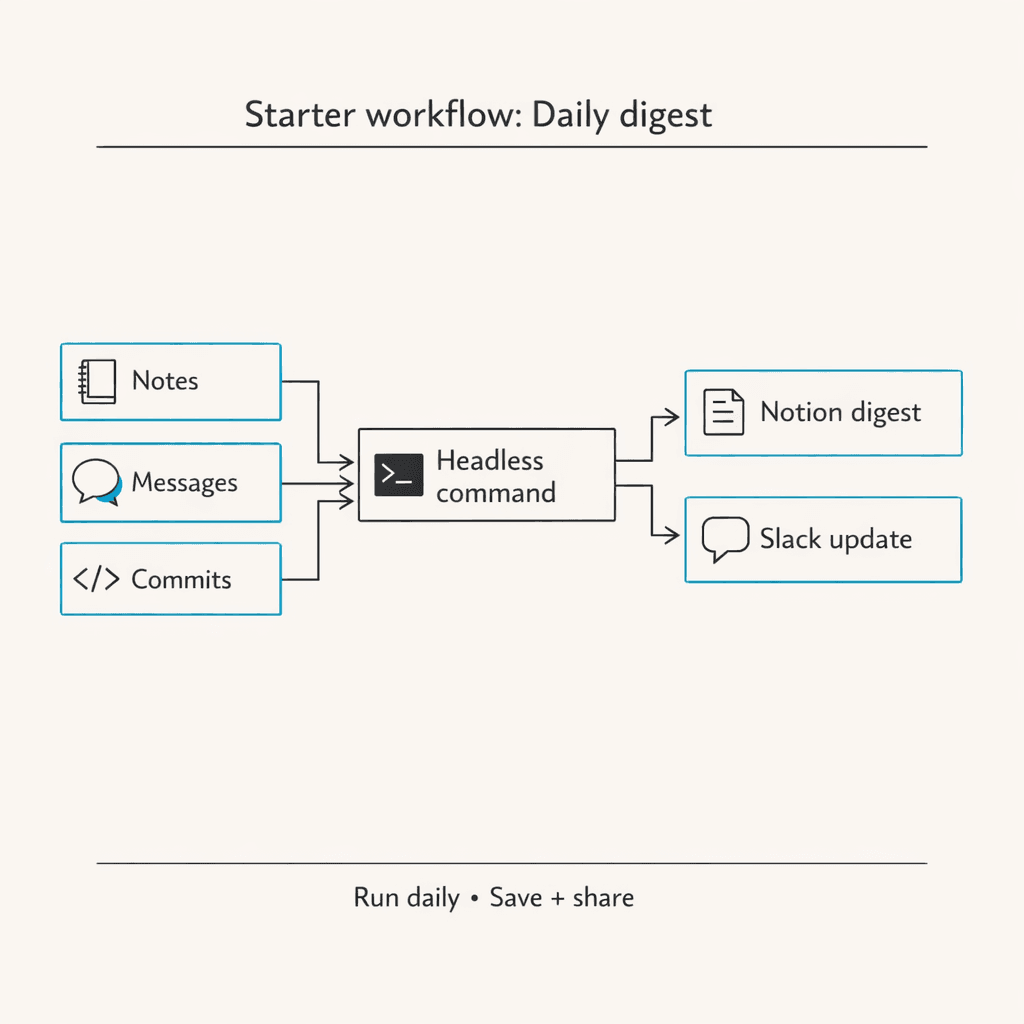
That's exactly why we built Notis.
Notis gives you the same personal assistant capabilities—connecting to Notion, Slack, GitHub, Drive, and more—but through messaging and voice.
No terminal. No MCP configuration. No permission scoping to manage.
Just natural delegation:
"Take these meeting notes and create tasks in Notion"
"Summarize that Slack thread and draft a response"
"Review this PR for security issues"
You can send a text, drop a voice note while walking, or forward a thread. Your assistant handles the rest.
All the power of Claude Code + MCP, wrapped in a conversational interface that feels like texting a colleague.
If that sounds better than managing CLI commands, take a look: https://notis.ai/

Flo is the founder of Mind the Flo, an Agentic Studio specialized into messaging and voice agents.

