Changelog & monthly updates
v3
Flo here — v3 is here, and this one is different.
In February I teased "a paradigm shift for Notis". Then went quiet for 10 weeks. This is what I was building. Every previous release added a capability. v3 changes the shape of Notis itself.
Three paradigm shifts in one: a desktop experience, a cloud computer, and new memory connectors. Don't be fooled: behind the scenes, this release sets the stage for the future of Notis — one not built on top of Notion.
Let's get into it.
Notis Manager — Web & Desktop App
The genius of Notis, if I dare say, has been to meet you where you already work most: on your messaging apps and your inbox. But as Notis became more capable, I found myself struggling to keep up just being the human in the loop — especially when it came to automations.
Today we introduce the Notis Manager, a keyboard-first app designed to help you stay organized and validate your agent work systematically when you're back at your desk. Think Superhuman meets Claude: the inbox discipline of the best email client in the world, built to manage a swarm of agents for modern operators.
Inbox — Human-in-the-Loop
The real point of being the human in the loop is to validate — vet — the work done by your AI agents. For that, you need visibility into what's happening. The Manager provides this: when an agent completes a task, when a reply is needed, or when an automation reaches a decision point, you'll see it clearly in your Inbox. Review what matters, make the call, and archive.
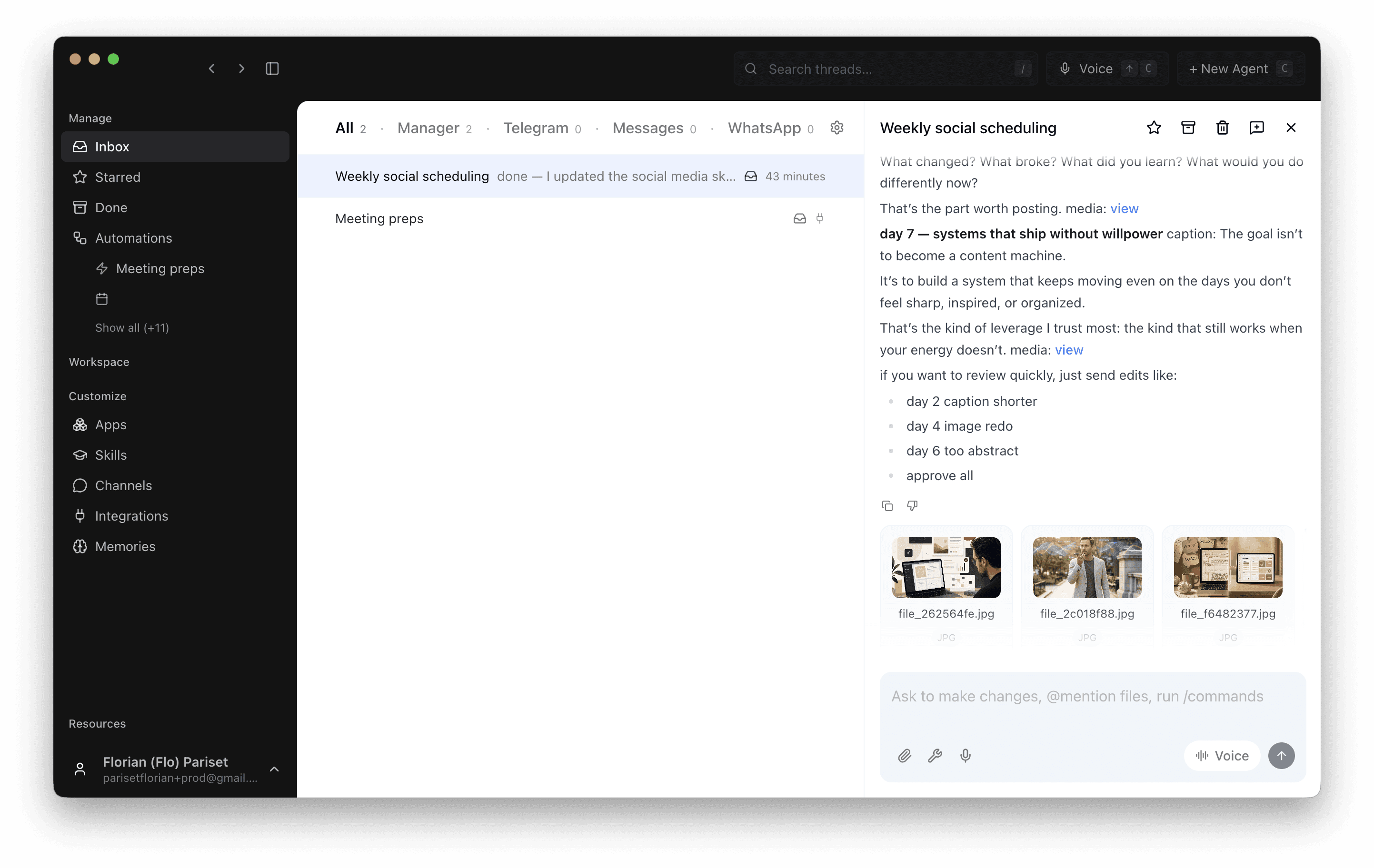
For messaging channels, Notis intelligently separates conversations by topic so you can easily transition from your favorite messaging apps to our new desktop experience.
Automations are displayed together so you finally have full visibility of what Notis is doing behind the scenes. The framework is now complete: Automations are when — the triggers. Skills are how — the business logic. Channels & integrations are where — the destination. This tab ties it all together.
Notis Overlay & Voice Mode
Hit option + space to summon Notis anywhere on your desktop. Hit cmd + tab to switch to voice mode and talk live to Notis with access to all your context, memory, and extensions.
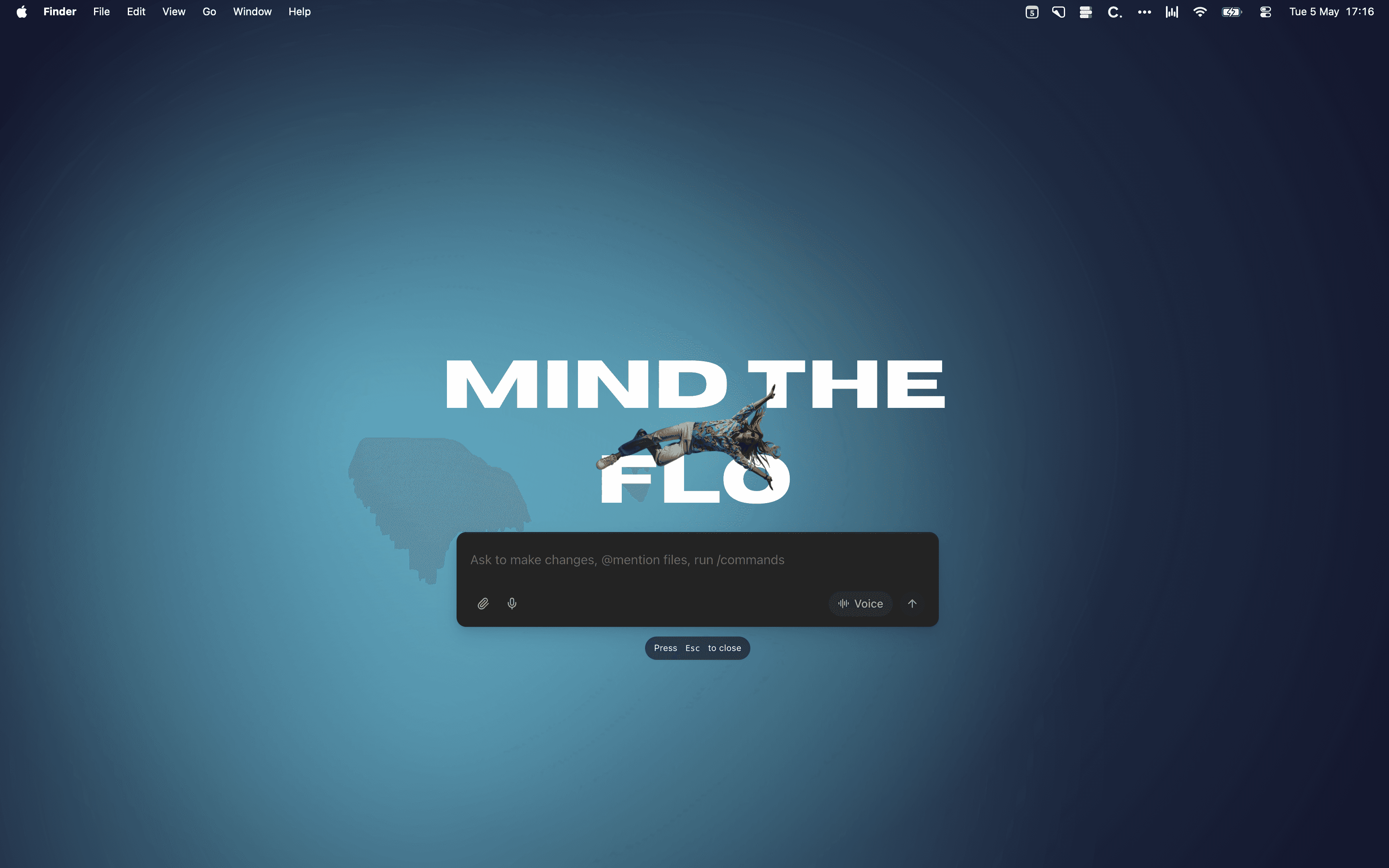
Voice mode used to be reserved for ULTRA — it's so good I've decided to bring it to PRO+ starting today.
Support for Skills and Your Computer in the Cloud
This one is big.
Skills has quickly become the standard for how to 'teach' agents your business logic. If automations are the "when", skills are the "how". Today we're launching full support for skills inside Notis.
A skill is a markdown file and some scripts bundled together that Notis can invoke on demand. We ship a growing library out of the box:
Word, Excel, PowerPoint: Generate, edit, and export full Office documents — not just text — right from a message.
PDF: Create and edit rich PDFs with real layout and formatting.
Browser Agent: Navigate the web, fill forms, extract data, take screenshots — fully automated.
Many upcoming capabilities of Notis will ship as out-of-the-box skills — but more importantly, you can ask Notis to create your own skills and edit them right in the portal. We also integrated skills.sh, the biggest library of skills, directly in the search bar.
Here are some of my own:
blog-post: drafts a full blog post from a one-line brief, matches my tone, and publishes to Notion.
social-media-weekly-review: pulls my engagement stats, surfaces what worked, and suggests next week's angles.
social-media-posting: takes a draft and schedules it across X, LinkedIn, and Instagram in one shot.
Cloud Computer
To support skills, we equipped Notis with its own cloud computer — unlocking a range of capabilities previously reserved for locally run agents like Claude Code or OpenClaw. Notis can now open files, run scripts, install CLIs, launch browser agents, manipulate spreadsheets, render presentations, and more.
Memory Connectors (ULTRA)
Notis already remembers what you tell her. Now she can remember your entire world.
For ULTRA users, you can connect external sources — Notion, Gmail, Google Drive, OneDrive, websites — as memory sources. Notis indexes them continuously in the background and uses them automatically when relevant, without you having to mention them.
Memory sources vs. integrations — what's the difference?
Integrations are active: Notis can use tools exposed by those integrations — send an email, update a database, book a calendar slot.
Memory sources are passive: Notis indexes them so she knows what's in there, even when you don't think to bring it up.
Example: you ask Notis to write a new blog post. Without memory sources, she searches what you've explicitly written before to understand your tone. With memory sources, she already knows your tone, how you differentiate your product, and the doc you wrote six months ago — and synthesizes all of it automatically.
🐞 Other improvements
⚠️ Multiple channel accounts: You could already connect multiple accounts per integration — Gmail, Slack, Calendar. Now you can connect multiple accounts of the same service — two Gmail addresses, two Slack workspaces, personal and work calendar — all active simultaneously. Notis routes each correctly.
Magic link sign-in: Replaced our previous authentication with a more secure one-time link flow. Sign-in just works, without the brittleness.
Bigger context window for threaded channels: Slack, desktop and email conversations now get a larger context window by default — because threads deserve full context, not truncated history.
Nano Banana Pro: Image generation model upgrade — better quality, more consistent output, faster renders.
Tool catalog in the Manager: Browse every tool available to Notis — organized by category and source — directly from the Manager search bar.
Dev mode: Inspect raw tool calls and outputs inside the Manager. Useful for debugging automations and skills.
🗞️ In Other News
Back in February I wrote "I'm also working behind the scenes on a paradigm shift for Notis." That was 10 weeks ago. Now you know. 🤐
Trial credits expanded from $5 to $20 — new users have much more room to explore Notis before committing to a plan.
Comparison pages are going live: Notis vs OpenClaw, Notis vs Memorae, Notis vs Poke.
We're at $16k MRR — every one of you made that happen. Thank you. 🙏
That's it for v3. This is the Notis I set out to build — the one that doesn't just answer you, but actually does the work.
See you on the other side.
Flo
P.S.: Record a video testimonial (in any language) and get a free month of Notis on us.
v3
Flo here — v3 is here, and this one is different.
In February I teased "a paradigm shift for Notis". Then went quiet for 10 weeks. This is what I was building. Every previous release added a capability. v3 changes the shape of Notis itself.
Three paradigm shifts in one: a desktop experience, a cloud computer, and new memory connectors. Don't be fooled: behind the scenes, this release sets the stage for the future of Notis — one not built on top of Notion.
Let's get into it.
Notis Manager — Web & Desktop App
The genius of Notis, if I dare say, has been to meet you where you already work most: on your messaging apps and your inbox. But as Notis became more capable, I found myself struggling to keep up just being the human in the loop — especially when it came to automations.
Today we introduce the Notis Manager, a keyboard-first app designed to help you stay organized and validate your agent work systematically when you're back at your desk. Think Superhuman meets Claude: the inbox discipline of the best email client in the world, built to manage a swarm of agents for modern operators.
Inbox — Human-in-the-Loop
The real point of being the human in the loop is to validate — vet — the work done by your AI agents. For that, you need visibility into what's happening. The Manager provides this: when an agent completes a task, when a reply is needed, or when an automation reaches a decision point, you'll see it clearly in your Inbox. Review what matters, make the call, and archive.
For messaging channels, Notis intelligently separates conversations by topic so you can easily transition from your favorite messaging apps to our new desktop experience.
Automations are displayed together so you finally have full visibility of what Notis is doing behind the scenes. The framework is now complete: Automations are when — the triggers. Skills are how — the business logic. Channels & integrations are where — the destination. This tab ties it all together.
Notis Overlay & Voice Mode
Hit option + space to summon Notis anywhere on your desktop. Hit cmd + tab to switch to voice mode and talk live to Notis with access to all your context, memory, and extensions.
Voice mode used to be reserved for ULTRA — it's so good I've decided to bring it to PRO+ starting today.
Support for Skills and Your Computer in the Cloud
This one is big.
Skills has quickly become the standard for how to 'teach' agents your business logic. If automations are the "when", skills are the "how". Today we're launching full support for skills inside Notis.
A skill is a markdown file and some scripts bundled together that Notis can invoke on demand. We ship a growing library out of the box:
Word, Excel, PowerPoint: Generate, edit, and export full Office documents — not just text — right from a message.
PDF: Create and edit rich PDFs with real layout and formatting.
Browser Agent: Navigate the web, fill forms, extract data, take screenshots — fully automated.
Many upcoming capabilities of Notis will ship as out-of-the-box skills — but more importantly, you can ask Notis to create your own skills and edit them right in the portal. We also integrated skills.sh, the biggest library of skills, directly in the search bar.
Here are some of my own:
blog-post: drafts a full blog post from a one-line brief, matches my tone, and publishes to Notion.
social-media-weekly-review: pulls my engagement stats, surfaces what worked, and suggests next week's angles.
social-media-posting: takes a draft and schedules it across X, LinkedIn, and Instagram in one shot.
Cloud Computer
To support skills, we equipped Notis with its own cloud computer — unlocking a range of capabilities previously reserved for locally run agents like Claude Code or OpenClaw. Notis can now open files, run scripts, install CLIs, launch browser agents, manipulate spreadsheets, render presentations, and more.
Memory Connectors (ULTRA)
Notis already remembers what you tell her. Now she can remember your entire world.
For ULTRA users, you can connect external sources — Notion, Gmail, Google Drive, OneDrive, websites — as memory sources. Notis indexes them continuously in the background and uses them automatically when relevant, without you having to mention them.
Memory sources vs. integrations — what's the difference?
Integrations are active: Notis can use tools exposed by those integrations — send an email, update a database, book a calendar slot.
Memory sources are passive: Notis indexes them so she knows what's in there, even when you don't think to bring it up.
Example: you ask Notis to write a new blog post. Without memory sources, she searches what you've explicitly written before to understand your tone. With memory sources, she already knows your tone, how you differentiate your product, and the doc you wrote six months ago — and synthesizes all of it automatically.
🐞 Other improvements
⚠️ Multiple channel accounts: You could already connect multiple accounts per integration — Gmail, Slack, Calendar. Now you can connect multiple accounts of the same service — two Gmail addresses, two Slack workspaces, personal and work calendar — all active simultaneously. Notis routes each correctly.
Magic link sign-in: Replaced our previous authentication with a more secure one-time link flow. Sign-in just works, without the brittleness.
Bigger context window for threaded channels: Slack, desktop and email conversations now get a larger context window by default — because threads deserve full context, not truncated history.
Nano Banana Pro: Image generation model upgrade — better quality, more consistent output, faster renders.
Tool catalog in the Manager: Browse every tool available to Notis — organized by category and source — directly from the Manager search bar.
Dev mode: Inspect raw tool calls and outputs inside the Manager. Useful for debugging automations and skills.
🗞️ In Other News
Back in February I wrote "I'm also working behind the scenes on a paradigm shift for Notis." That was 10 weeks ago. Now you know. 🤐
Trial credits expanded from $5 to $20 — new users have much more room to explore Notis before committing to a plan.
Comparison pages are going live: Notis vs OpenClaw, Notis vs Memorae, Notis vs Poke.
We're at $16k MRR — every one of you made that happen. Thank you. 🙏
That's it for v3. This is the Notis I set out to build — the one that doesn't just answer you, but actually does the work.
See you on the other side.
Flo
P.S.: Record a video testimonial (in any language) and get a free month of Notis on us.
Break Free From Busywork
Delegate your busywork to your AI intern and get back to what matters: building your company.


Break Free From Busywork
Delegate your busywork to your AI intern and get back to what matters: building your company.
Break Free From Busywork
Delegate your busywork to your AI intern and get back to what matters: building your company.