
Changelog & monthly updates
01.26

Hey — Flo here.
Notis and I have been busy cooking the most requested features. So let's get to it.
Notis on Slack
Slack is now a first-class channel — message Notis directly from ALL your workspaces.
Just open a DM with Notis and start typing. Send text, images, documents, and audio files without switching between apps. Notis supports threaded conversations, rich formatting, voice messages, and attachments. Here are a few places you can use Notis in Slack:
DM - Chat with Notis 1:1 like any of your colleagues.
Slack Channels and Groups - @Notis to summon Notis. She replies in thread automatically on each subsequent message (only from the user that summoned her). Use @notis off to turn off auto-reply any time.
Notis for Teams (PRO+)
Notis now supports Teams — share your subscription and automations with others.
Central Billing: Invite team members by phone number, and they instantly get access. All licenses are managed centrally and onboarding gets simplified.
Automation Templates: Create a template once and share it across your team. When you update the template prompt, everyone's linked automation updates automatically — no more maintaining the same logic in multiple places.
Our first client, a Swiss company with 10 employees, is now using Notis for asynchronous weekly standup meetings. The idea is simple: every Monday, everyone receives a reminder from Notis, they record a short voice note with their priorities for the week and wins from the last week. At the end of the day, Notis compiles all reports and generates a short voice note for the team lead. It also drafts an email for the rest of the team to close the loop.
MCPs are here
Notis is now the easiest way to connect your favourite messaging apps to an MCP server.
If you have internal APIs, custom workflows, or niche systems Notis doesn’t support out of the box, MCP lets you plug them in as first-class capabilities. You give Notis a server URL, describe what it does, choose transport, add headers if needed, test it, and enable the tools you want.
We're partnering with Ogment.ai so you can easily turn any API into a compatible MCP server that you can create and connect with Notis in minutes. I've made a video to show you how it works, where I used Ogment to manage my Cursor coding agents right from Notis.
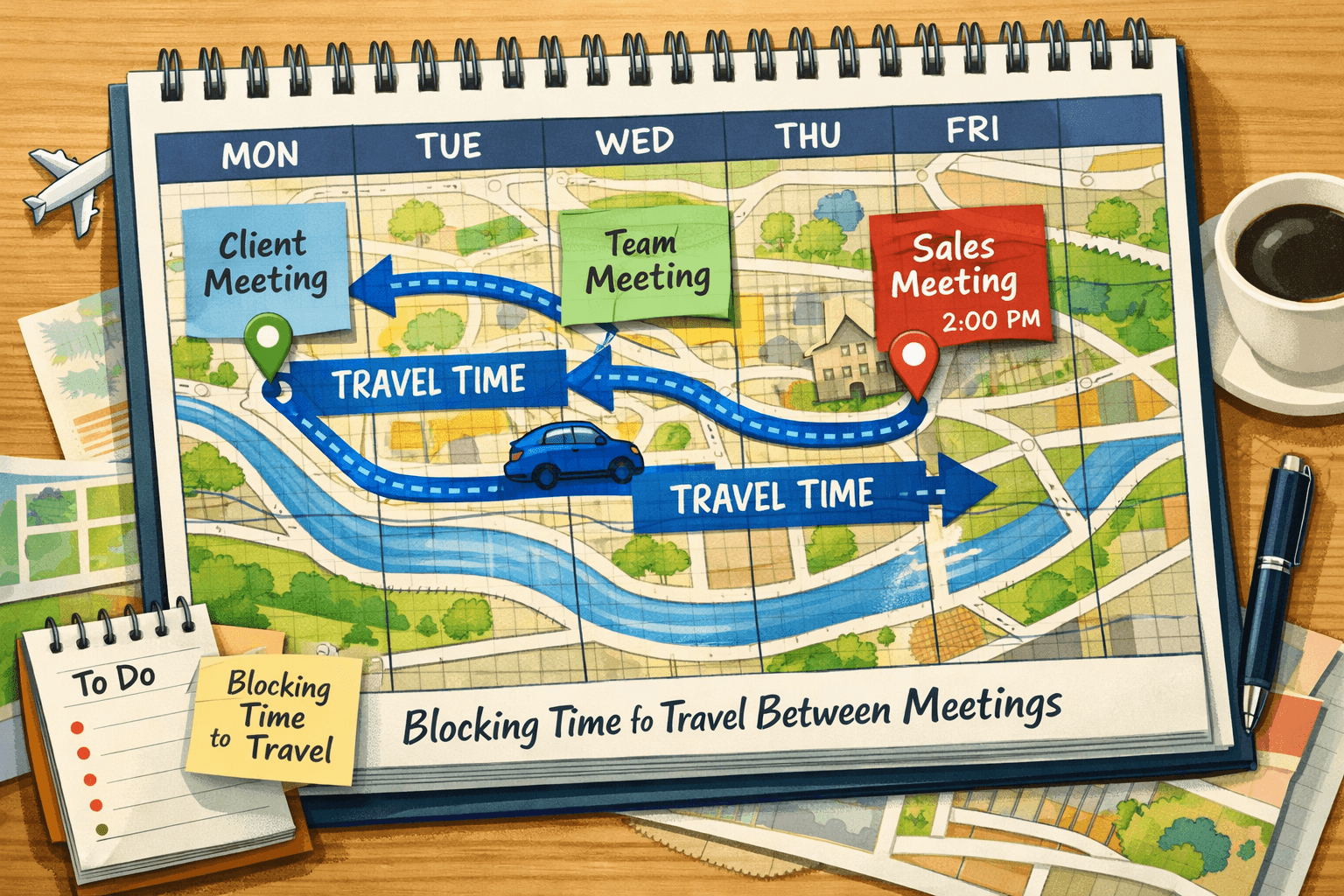
🤖 Automation of the Month: Travel Planning
This month, Nikki, a Director and Creative Producer, reached out with a cool problem. Until recently, she had a PA managing her agenda with travel blockers between meetings to avoid conflicts. It's a necessary but painful job, and she turned to Notis to see if her AI intern could handle this.
What it does:
This automation therefore automatically creates and manages travel time blockers whenever calendar events are created or deleted. Every time you add or remove a meeting, Notis reviews your day and maintains your travel blockers automatically. It calculates the optimal transport mode (public transit vs. car) based on location, and only pings you if there's an error or if travel time exceeds the gap between meetings.
Perfect for:
Founders and execs with packed calendars full of in-person meetings
Anyone who hates being late (or rushing between locations)
People who want their calendar to reflect reality — including commute time
🐞 Other small (and big) improvements
⚠️ Multiple accounts/integration support: Not only can you now connect your personal and work calendar and emails, but you also have access to over 850 integrations we support.
⚠️ Email and iMessage aliases: You can now add multiple emails as registered senders when forwarding email to hey@notis.ai. Likewise, we now support multiple registered email senders for iMessage.
Advanced Voice Mode access to all integrations: When you call Notis on WhatsApp, she can pull up context from all your connected apps. This makes calling Notis 100x more useful. My favorite use case so far: calling Notis to timebox my tasks throughout the week.
PDF support improvements: Notis can now reliably read PDFs of less than 50 MB and save them to your long-term memory automatically.
Automation improvements: Automatically pause failing automations, rate limiting, and deduplication for the safety of your credits and multi-trigger support.
QOL improvements: Reply to Notis with a reaction and magic link login to the portal.
🗞️ In Other News
Back to the office 🏝️ — from the holidays and shipping again more pumped up than ever.
13 months after our first paid user, we just hit 13k MRR on TrustMRR — a milestone I’m proud of and it’s all thanks to all of you! 🙏
Checkout our Youtube channel, we’re now posting daily.
📰 AI News
Here's what you might have missed in AI this month:
⚠️ Dario Amodei: The Adolescence of Technology - An essay on the risks posed by powerful AI to national security, economies and democracy. (darioamodei.com)
🎬 Zuckerber: Drops a 90-minute masterclass on AI, China, and AGI (x.com)
💻 Claude Code's viral moment: Prompt-to-code tooling spiked in mainstream virality — non-engineers using "code as a lever" to build small apps quickly. Right after that, Anthropic announced Labs as a formal vehicle for faster experimentation and productization — accelerating the research → product conveyor belt. First product, Claude Cowork, was built in one week by Claude Code. (anthropic.com)
🔌 Interactive Claude apps: Anthropic added interactive apps inside Claude (Slack, Figma, Box) — a clear move toward "assistant as operating layer". (techcrunch.com)
📧 Gmail enters the Gemini era: Google positioned Gmail as an AI-assisted workspace with summarization, inbox Q&A, and assisted writing. (blog.google)
💡 Hassabis on the AI bubble: At Davos, DeepMind CEO warned parts of the AI investment surge look "bubble-like" — one of the sharper cool-the-hype notes from a top lab leader. (ft.com)
🦞 What Is Clawdbot? (And Why People Are Losing Their Minds Over It): Imagine if Notis could become your new weekend project, your security nightmare AND finally justify you buy that shiny new mac mini to run local inference. That's basically Clawdbot. (techcrunch.com)
That's it for this month. See you next month! Flo
P.S.: Record a video testimonial (in any language) and get a free month of Notis on us.
01.26
Hey — Flo here.
Notis and I have been busy cooking the most requested features. So let's get to it.
Notis on Slack
Slack is now a first-class channel — message Notis directly from ALL your workspaces.
Just open a DM with Notis and start typing. Send text, images, documents, and audio files without switching between apps. Notis supports threaded conversations, rich formatting, voice messages, and attachments. Here are a few places you can use Notis in Slack:
DM - Chat with Notis 1:1 like any of your colleagues.
Slack Channels and Groups - @Notis to summon Notis. She replies in thread automatically on each subsequent message (only from the user that summoned her). Use @notis off to turn off auto-reply any time.
Notis for Teams (PRO+)
Notis now supports Teams — share your subscription and automations with others.
Central Billing: Invite team members by phone number, and they instantly get access. All licenses are managed centrally and onboarding gets simplified.
Automation Templates: Create a template once and share it across your team. When you update the template prompt, everyone's linked automation updates automatically — no more maintaining the same logic in multiple places.
Our first client, a Swiss company with 10 employees, is now using Notis for asynchronous weekly standup meetings. The idea is simple: every Monday, everyone receives a reminder from Notis, they record a short voice note with their priorities for the week and wins from the last week. At the end of the day, Notis compiles all reports and generates a short voice note for the team lead. It also drafts an email for the rest of the team to close the loop.
MCPs are here
Notis is now the easiest way to connect your favourite messaging apps to an MCP server.
If you have internal APIs, custom workflows, or niche systems Notis doesn’t support out of the box, MCP lets you plug them in as first-class capabilities. You give Notis a server URL, describe what it does, choose transport, add headers if needed, test it, and enable the tools you want.
We're partnering with Ogment.ai so you can easily turn any API into a compatible MCP server that you can create and connect with Notis in minutes. I've made a video to show you how it works, where I used Ogment to manage my Cursor coding agents right from Notis.
🤖 Automation of the Month: Travel Planning
This month, Nikki, a Director and Creative Producer, reached out with a cool problem. Until recently, she had a PA managing her agenda with travel blockers between meetings to avoid conflicts. It's a necessary but painful job, and she turned to Notis to see if her AI intern could handle this.
What it does:
This automation therefore automatically creates and manages travel time blockers whenever calendar events are created or deleted. Every time you add or remove a meeting, Notis reviews your day and maintains your travel blockers automatically. It calculates the optimal transport mode (public transit vs. car) based on location, and only pings you if there's an error or if travel time exceeds the gap between meetings.
Perfect for:
Founders and execs with packed calendars full of in-person meetings
Anyone who hates being late (or rushing between locations)
People who want their calendar to reflect reality — including commute time
🐞 Other small (and big) improvements
⚠️ Multiple accounts/integration support: Not only can you now connect your personal and work calendar and emails, but you also have access to over 850 integrations we support.
⚠️ Email and iMessage aliases: You can now add multiple emails as registered senders when forwarding email to hey@notis.ai. Likewise, we now support multiple registered email senders for iMessage.
Advanced Voice Mode access to all integrations: When you call Notis on WhatsApp, she can pull up context from all your connected apps. This makes calling Notis 100x more useful. My favorite use case so far: calling Notis to timebox my tasks throughout the week.
PDF support improvements: Notis can now reliably read PDFs of less than 50 MB and save them to your long-term memory automatically.
Automation improvements: Automatically pause failing automations, rate limiting, and deduplication for the safety of your credits and multi-trigger support.
QOL improvements: Reply to Notis with a reaction and magic link login to the portal.
🗞️ In Other News
Back to the office 🏝️ — from the holidays and shipping again more pumped up than ever.
13 months after our first paid user, we just hit 13k MRR on TrustMRR — a milestone I’m proud of and it’s all thanks to all of you! 🙏
Checkout our Youtube channel, we’re now posting daily.
📰 AI News
Here's what you might have missed in AI this month:
⚠️ Dario Amodei: The Adolescence of Technology - An essay on the risks posed by powerful AI to national security, economies and democracy. (darioamodei.com)
🎬 Zuckerber: Drops a 90-minute masterclass on AI, China, and AGI (x.com)
💻 Claude Code's viral moment: Prompt-to-code tooling spiked in mainstream virality — non-engineers using "code as a lever" to build small apps quickly. Right after that, Anthropic announced Labs as a formal vehicle for faster experimentation and productization — accelerating the research → product conveyor belt. First product, Claude Cowork, was built in one week by Claude Code. (anthropic.com)
🔌 Interactive Claude apps: Anthropic added interactive apps inside Claude (Slack, Figma, Box) — a clear move toward "assistant as operating layer". (techcrunch.com)
📧 Gmail enters the Gemini era: Google positioned Gmail as an AI-assisted workspace with summarization, inbox Q&A, and assisted writing. (blog.google)
💡 Hassabis on the AI bubble: At Davos, DeepMind CEO warned parts of the AI investment surge look "bubble-like" — one of the sharper cool-the-hype notes from a top lab leader. (ft.com)
🦞 What Is Clawdbot? (And Why People Are Losing Their Minds Over It): Imagine if Notis could become your new weekend project, your security nightmare AND finally justify you buy that shiny new mac mini to run local inference. That's basically Clawdbot. (techcrunch.com)
That's it for this month. See you next month! Flo
P.S.: Record a video testimonial (in any language) and get a free month of Notis on us.
Break Free From Busywork
Delegate your busywork to your AI intern and get back to what matters: building your company.


Break Free From Busywork
Delegate your busywork to your AI intern and get back to what matters: building your company.
Break Free From Busywork
Delegate your busywork to your AI intern and get back to what matters: building your company.