Content

What a WhatsApp AI Assistant Actually Does for Founders in 2026
TLDR: Most tools calling themselves WhatsApp AI assistants are chatbots for customer support teams. This article covers what a real WhatsApp AI assistant does for solo founders: voice notes to tasks, CRM updates, reminders, scheduling, and content — without ever opening a new app.
The WhatsApp AI Market Has a Founder-Shaped Hole In It
Search "WhatsApp AI assistant" right now and you will find two categories of results: ecommerce chatbots designed to recover abandoned carts, and B2B customer service platforms charging $500/month to automate support tickets. Neither of those is what a founder needs.
If you are running a business — really running it, not just managing it — your brain does not stop between meetings. It generates tasks in the back of a Bolt ride, CRM updates during a pitch debrief, and follow-up emails at 11pm before you remember to forget them by morning. The tool you actually need shows up exactly where you are when those moments happen. For most founders, that place is WhatsApp.
WhatsApp has over 2 billion active users. The open rate on a WhatsApp message sits around 98%, versus roughly 20% for email. Founders are already using it to communicate with investors, team members, advisors, and clients. The question is why their AI intern is not there too.
What a WhatsApp AI Assistant Is Not
Before covering what the right tool does, it is worth being precise about what it is not. A WhatsApp AI assistant is not:
A customer support chatbot (those are built for businesses to automate inbound inquiries from their customers)
A simple reminder tool that texts you back when a timer goes off
A voice transcription app that returns a paragraph of text you then have to act on yourself
These tools exist. Some are fine for their use case. None of them are built for the founder who needs an assistant that actually completes tasks — not just receives them.
What a Real WhatsApp AI Assistant Does for Founders
Voice Notes to Tasks
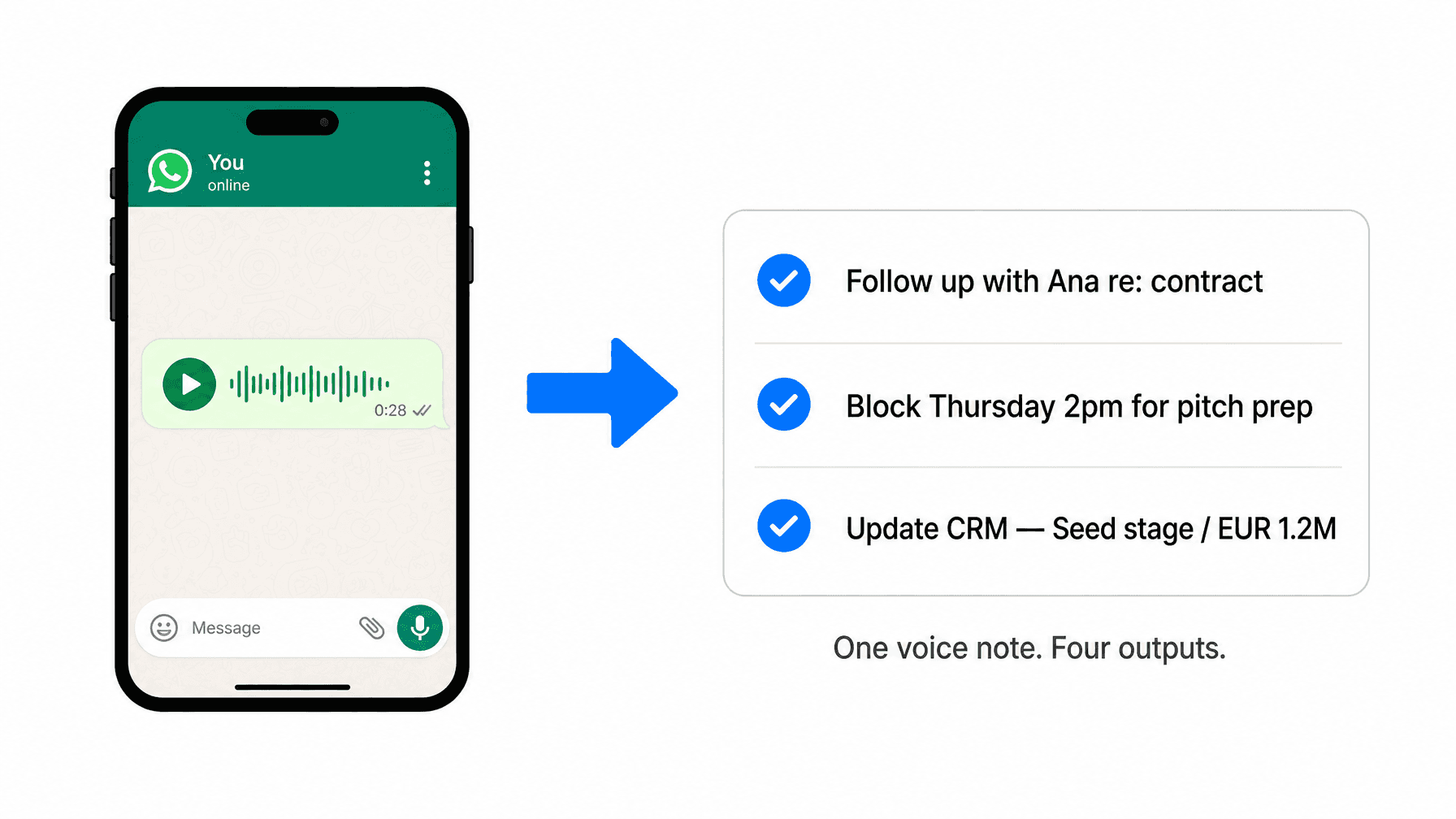
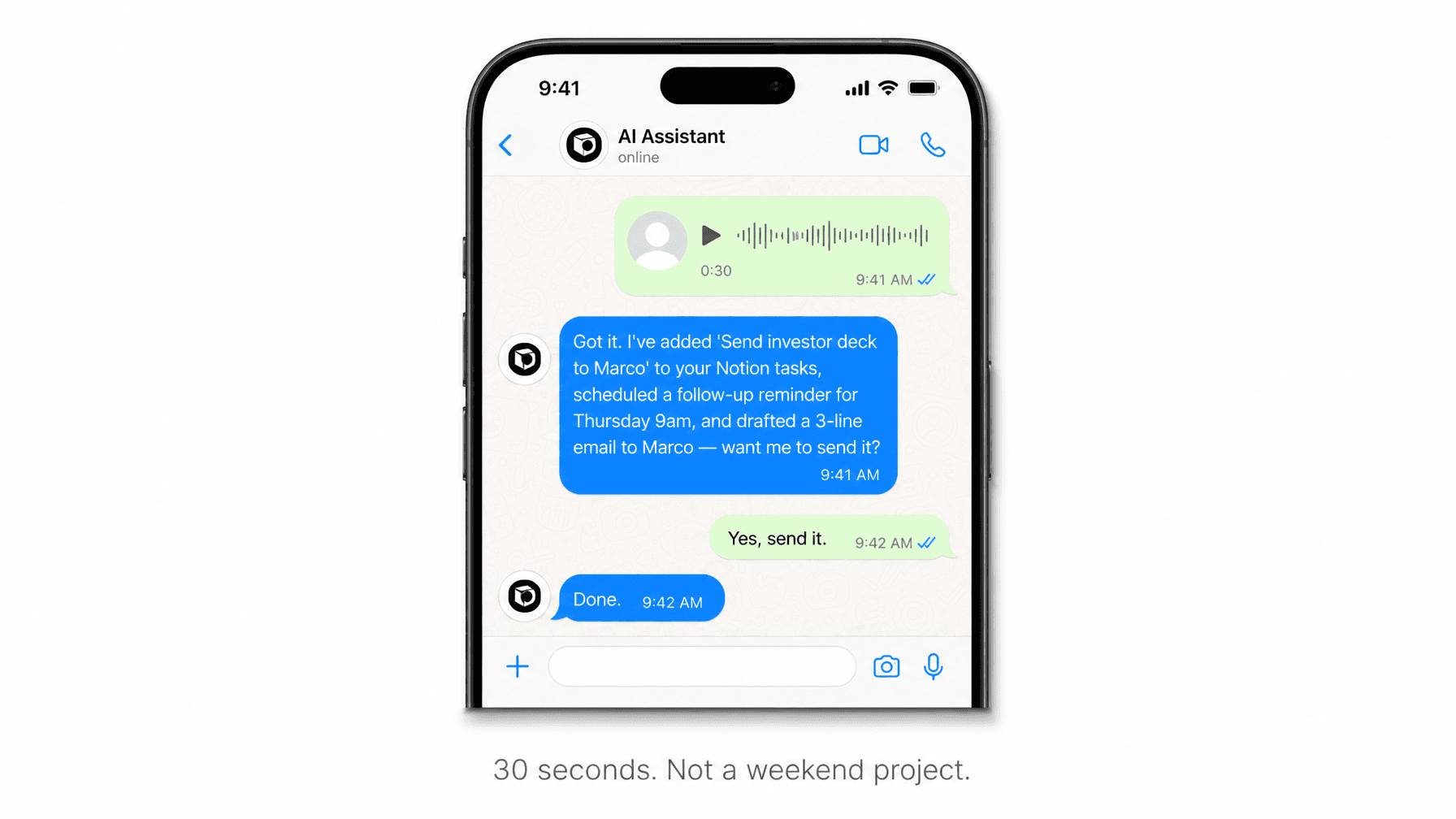
This is the single highest-value use case for ADHD founders who run businesses in chaos. You finish a call, you have six things to do, and you send a voice note. A real WhatsApp AI assistant does not transcribe and return the text to you. It parses the tasks, adds them to your task manager, schedules the ones with deadlines, and confirms what it has done — all while you are already on your next call. One voice note, four outputs. That is what done looks like.
CRM Updates in Real Time
Most CRM updates never happen. Not because founders do not want to do them, but because the moment between "call ended" and "information gone" is about 45 seconds. By the time you open your CRM, you have already moved on.
A WhatsApp AI assistant eliminates that gap. "Met Sara at the summit — seed stage, 1.2M ARR, interested in enterprise tier, follow up in two weeks." Sent to WhatsApp. Done. The CRM updates itself. No browser tab, no form, no friction.
Reminders and Automations That Actually Stick
Most founders use calendar reminders as a form of optimism. The reminder fires, gets dismissed, and the task still does not happen. The difference with a messaging-native assistant is context. When the reminder arrives in WhatsApp — where you already are, where you are already reading — the activation cost drops to near zero. "Follow up with Marco on the contract." It is there. You respond to it the same way you respond to any message. The task gets done.
A well-built WhatsApp AI assistant also handles recurring automations: weekly status updates pulled from your integrations, daily briefings, and scheduled check-ins — all delivered to the channel you already use.
Scheduling Without the Back-and-Forth
"Can you find a 45-minute slot for a call with Lucas next week? Avoid Monday mornings." That is a voice note. A real WhatsApp AI assistant checks your calendar, proposes times, and handles the confirmation — without you opening the calendar app once.
Content and Communication, Done
One use case that gets underestimated: content. A well-built WhatsApp AI assistant drafts a LinkedIn post from a voice note, writes a short investor update, or turns a messy set of bullet points into a clean follow-up email. Founders who use Notis for content routinely cut their writing time by sending one voice note and getting a usable draft back in under a minute. The assistant does not ask clarifying questions. It reads your context, applies your voice, and returns something ready to send.
Why WhatsApp — and Not Another New App
The standard answer from most AI tool companies is to build you a new interface: a dashboard, a command center, a hub. Download it, onboard, learn the shortcuts, build the habit. That model fails for founders at scale for one reason: the cost of switching context.
Every time you open a new app to complete a task, you break focus. The app becomes another thing to remember to use — which is exactly the problem you were trying to solve. WhatsApp solves this structurally. You are already in it. Your assistant lives where you already are. There is no new interface to adopt and no new habit to build.
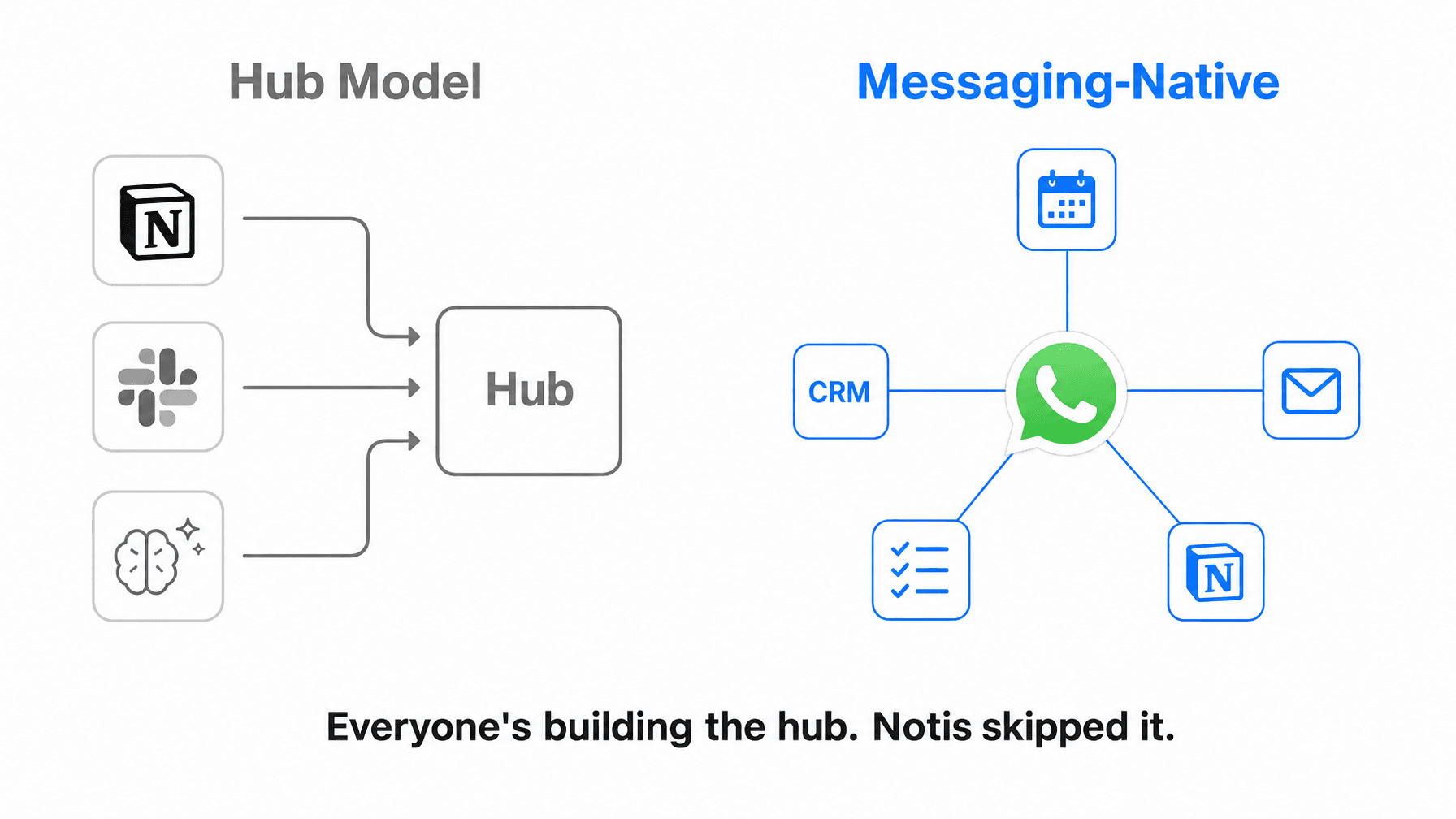
The design philosophy behind Notis is exactly this: everyone is building the hub. We skipped it. A messaging-native AI assistant does not ask you to change how you work. It fits into what you already do and makes it dramatically more productive.
What to Look For in a WhatsApp AI Assistant
If you are evaluating tools in this category, filter on these criteria:
Execution, not just answers. Can the tool complete tasks — update your CRM, add a Notion entry, draft and send an email — or does it just return text you have to act on yourself?
Integration depth. Does it connect to the tools you actually use: Notion, Gmail, Google Calendar, your CRM? Depth here matters more than a long list of logo badges.
Long-term memory. Does the assistant remember context over time — who your investors are, what your current priorities are, what happened last week? Point-in-time awareness is not enough.
Zero setup. The best WhatsApp AI assistant should take 30 seconds to activate, not 15 minutes and a server configuration.
Start in 30 Seconds
Notis is the WhatsApp AI assistant built specifically for founders and operators who run businesses in chaos. It connects to 1,000+ integrations, holds long-term memory with source ingestion from Notion, Gmail, Google Drive, and your website, and acts — it does not just answer. 17,000+ founders already use it as their AI intern in WhatsApp, Telegram, Slack, iMessage, and email. No new app. No configuration. Setup takes 30 seconds.

Flo is the founder of Mind the Flo, an Agentic Studio specialized into messaging and voice agents.