Content

Notis vs Kin: AI intern execution vs private personal coaching
Two modern AI assistants can look similar from far away, then feel wildly different the moment you try to use them. Notis is built to execute work through your existing tools, especially Notion, while Kin is built to help you think and feel better in a private space.
Quick Take
If you want an assistant that turns one voice message into real outputs inside Notion, plus follow-ups across the rest of your stack, Notis is the better fit. If you want a privacy-first personal companion for journaling, reflection, and emotionally intelligent coaching that lives on your phone, Kin is the better fit. The real difference is where the “work” happens: Notis ships work into your systems, while Kin holds work inside a personal, local-first experience.
Product Overviews
Notis
Notis is a chat-first assistant that you message from WhatsApp, Telegram, iMessage, or email, and it turns voice notes into structured work. Its core promise is execution: create and update Notion pages and databases, generate tasks and reminders, and run multi-step workflows using integrations and automations.

Kin
Kin is a personal AI companion designed around emotionally intelligent support, guided journaling, and long-term personal memory. It is primarily experienced inside the Kin mobile app, leaning into a privacy-first posture and a "board of advisors" metaphor.
Head-to-Head Table
Category | Notis | Kin |
|---|---|---|
Voice capture (WhatsApp/Telegram) | Native. You message Notis from WhatsApp or Telegram and send voice notes. | Not via WhatsApp/Telegram. Kin is primarily used inside its own mobile app, with voice journaling. |
Notion integration | Core strength. Notis is designed to connect to your Notion workspace and write into your pages and databases. | Not a Notion-centric product. Kin focuses on in-app journaling and coaching. |
Task & reminders | Built for turning messages into tasks and reminders inside your system of record. | Personal reminders and nudges inside the Kin experience, framed as part of a personal companion workflow. |
Web search & RAG | Supported. Notis supports web search and web page content extraction. | Not a core feature. Kin is designed around personal memory and reflection rather than browsing and summarizing the open web. |
Automations/follow-up | Strong. Notis supports recurring work and webhook-triggered automations. | Limited. Kin emphasizes personal reminders and check-ins rather than cross-tool automations. |
Pricing | Subscription tiers are published on the website. | Kin offers a free tier and a Premium plan around $20/month. |
Security & compliance | Notis publishes GDPR and data handling details. | Kin emphasizes a privacy-first, local-first approach. |
Key Differences Explained
The interface is the product: messaging execution vs in-app reflection
Notis wins when the fastest path from "thought" to "done" is sending a voice note in the same place you already message people, then letting it land as structured work in Notion. That is the entire design: no new app, one message away.
Kin takes the opposite bet: it asks you to come into its own space, then focuses on helping you think clearly, journal, and build self-awareness.
Notion is either the destination or it isn’t
Notis is opinionated about output. If you are already running your work in Notion, the "win" is that Notis can write directly into the databases you care about.
Kin, by contrast, is not trying to be a Notion power tool. It is trying to be your personal companion with a memory and a coaching posture. That makes Kin feel lighter and more intimate, but it also means you should not expect it to function as an automation layer for a Notion-based operating system.
Automation and research: “do it for me” vs “help me process it”
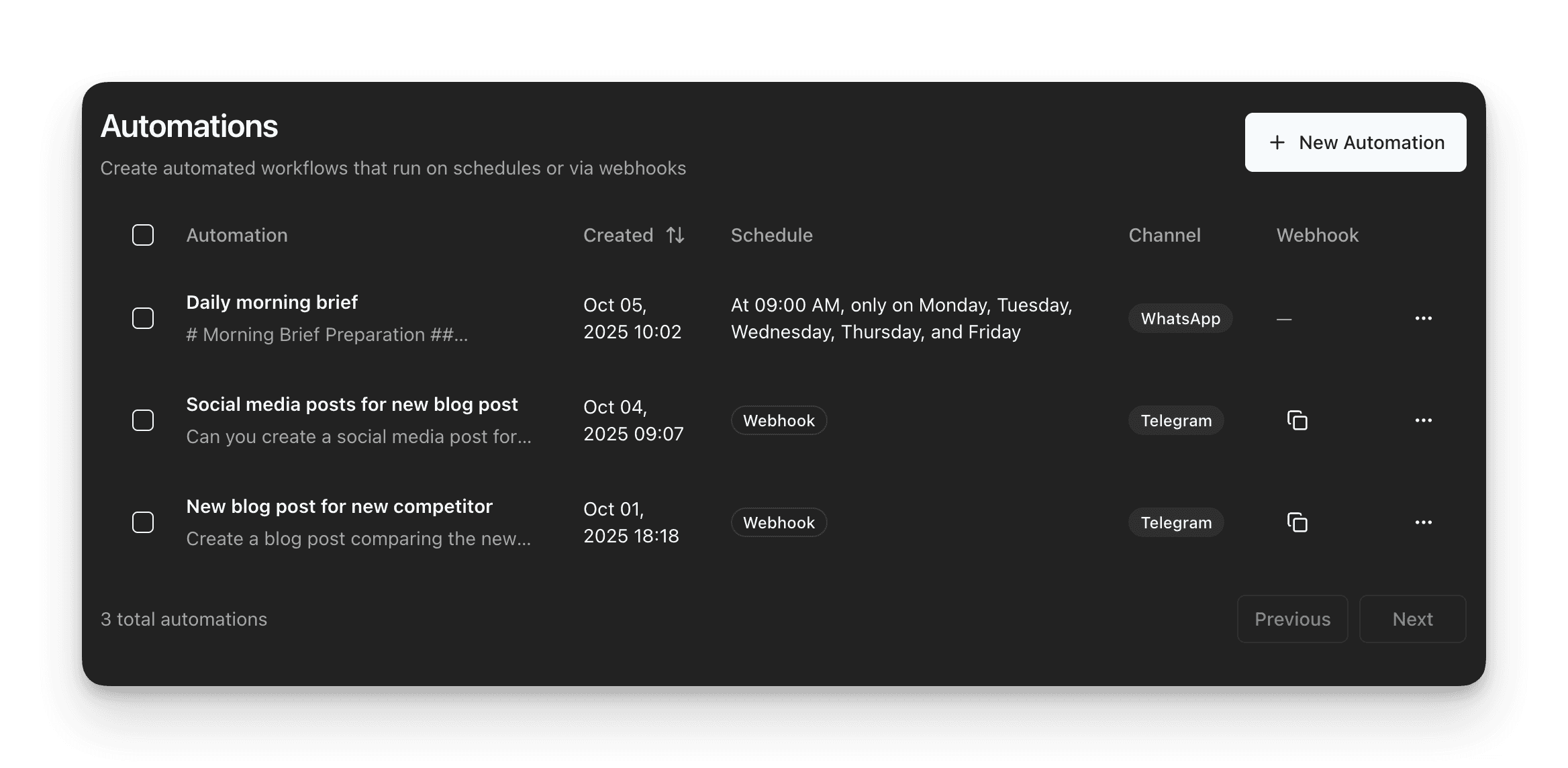
Notis is comfortable being an execution engine. It supports web search and web page extraction, plus recurring automations and webhook-triggered workflows. That combination is what makes it feel like an intern: you can delegate a task, and the outcome lands in the tool where work actually lives.
Kin is more about meaning-making. You use it to process decisions, emotions, relationships, and personal goals in a private environment, and it emphasizes personal continuity through memory and journaling rather than cross-tool automation.

Which One Should You Choose?
If you are an exec or operator who needs fewer tabs and more finished artifacts, Notis is the straightforward choice because it is built around getting work into Notion and keeping it connected to the rest of your tools. If you are a consultant living in calls and follow-ups, Notis is compelling for turning messy voice capture into structured notes and tasks in your system of record, then supporting repeatable follow-up.
If you are an engineer or builder who wants a private space to think and reflect, Kin can be a better daily companion. It is especially attractive if privacy is the primary constraint and you prefer your personal logs to stay on your device.
If your main workflow is “talk now, organize later in Notion,” Notis tends to fit better because it is explicitly designed for chat-first capture and direct Notion execution. Kin can still help you process what matters, but it is not designed to be your voice-to-Notion pipeline.
Wrap-Up
Kin and Notis are both "personal AI," but they optimize for different jobs: Kin helps you reflect privately, while Notis helps you ship work into your operating system. If your days are defined by ideas you must capture, structure, delegate, and revisit inside Notion, start with Notis at notis.ai and connect it to your workspace so your next voice note becomes actual progress.

Flo is the founder of Mind the Flo, an Agentic Studio specialized into messaging and voice agents.

