

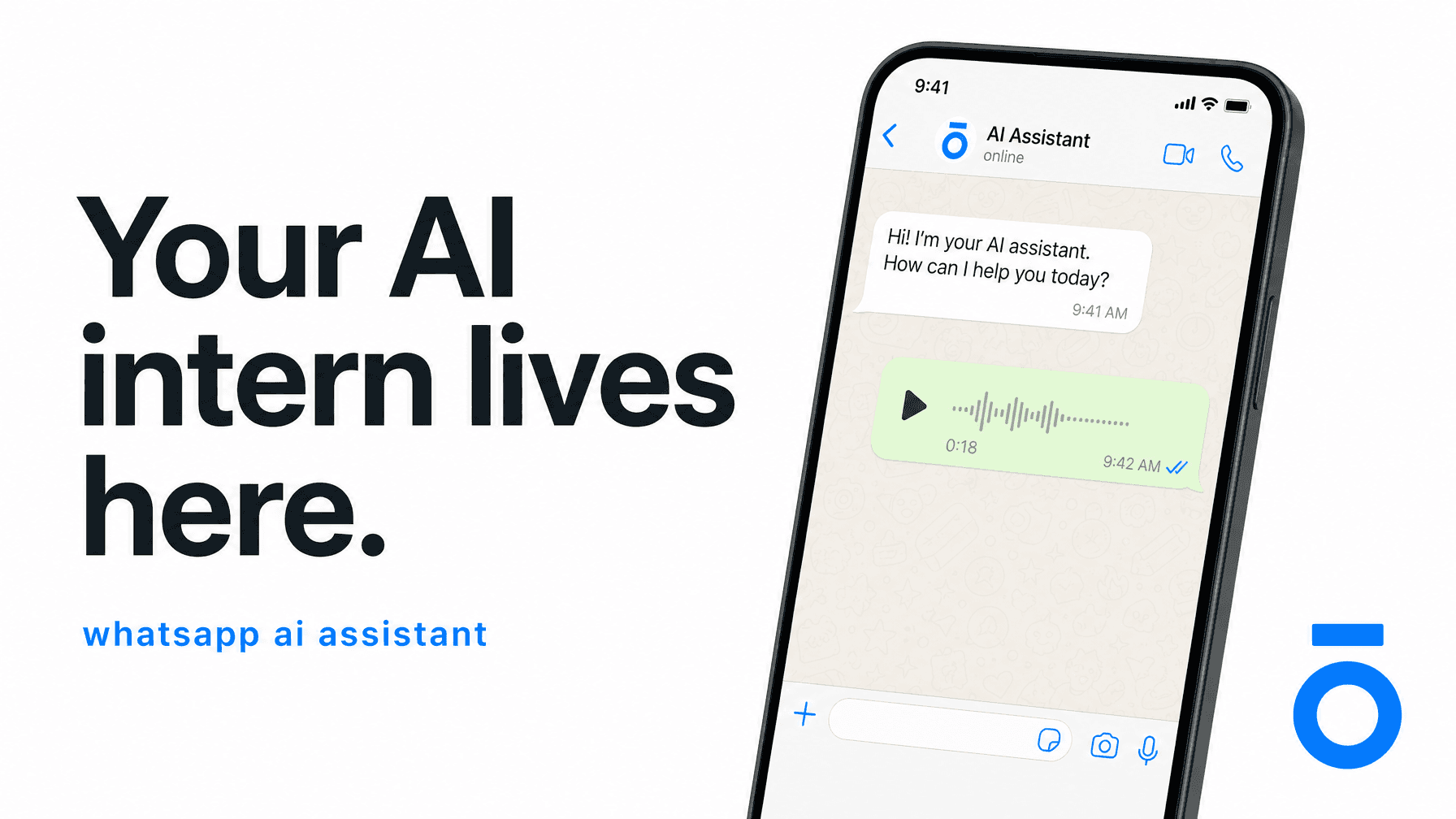
The WhatsApp AI Assistant for Founders: Delegate, Execute, and Run Your Business From One Chat
TLDR: A WhatsApp AI assistant is an AI agent that lives inside WhatsApp and takes action on your behalf — capturing tasks, updating your CRM, setting reminders, drafting content, and coordinating across 1,000+ apps. No new interface. No relearning. You're already in WhatsApp. The work happens there too.
What Is a WhatsApp AI Assistant?
A WhatsApp AI assistant is an AI agent that connects to the WhatsApp messaging platform and performs work on your behalf — not just answering questions, but actually executing tasks across your stack. Think of it as the difference between a search engine and an employee.
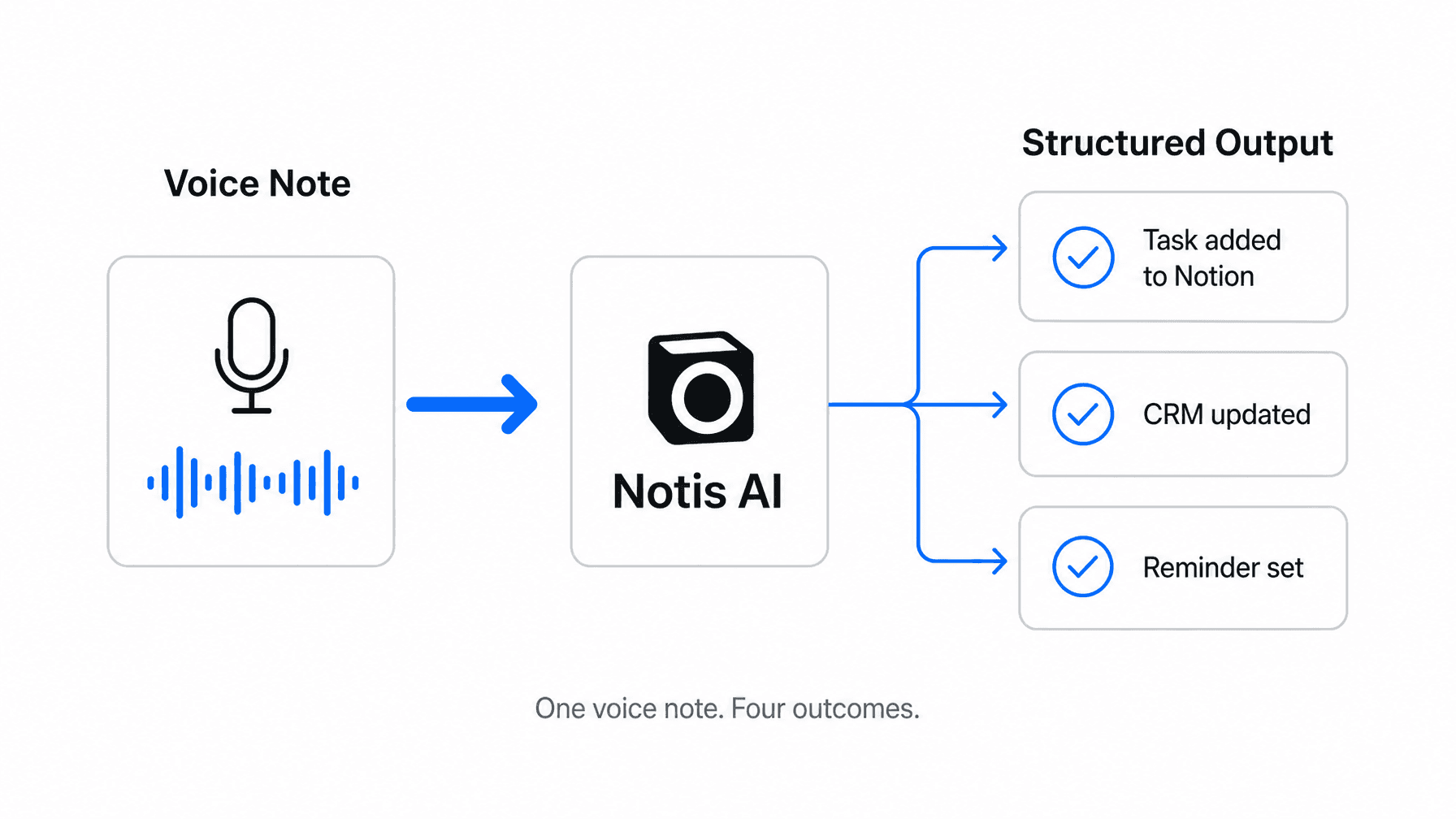
You send a voice note. It transcribes, structures, and routes the content to where it belongs: a Notion database, a CRM record, a calendar event, a drafted email. It confirms back in the same thread. You move on.
WhatsApp is not the novelty here. The novelty is that your AI doesn't need you to go somewhere new to use it. Over 2.5 billion people already check WhatsApp daily. The app is open. The habit is built. A real WhatsApp AI assistant plugs into that existing behavior instead of demanding you build a new one.
Why Most AI Assistants Miss the Point
The average founder has 12 productivity apps installed. The average founder actually uses about three of them — only because those three are frictionless enough to survive Monday morning.
Every AI tool you've tried promised to fix your workflow. Some of them were genuinely good. But at some point, you had to open the app, log back in, re-explain the context you last left it in, and convince yourself this time would be different. It wasn't. The tool didn't fail — the activation cost did.
This is especially true for ADHD founders. Context switching isn't a preference issue. It's a cognitive tax. Every new interface you have to open represents a decision, a reorientation, a chance for the original thought to evaporate. The tools built for the average knowledge worker weren't built for the way you actually operate.
A WhatsApp AI assistant solves this by eliminating the activation cost entirely. You're already there. The work happens where you are.
The Core Use Cases: What Founders Actually Use It For
Here's what a WhatsApp AI assistant does in practice — not the marketing version, the Monday morning version.
Voice Notes to Tasks
You leave a post-call voice note: "Remind me to follow up with Sara on the contract Friday, add 'review Q2 deck' to Notion, and draft a quick recap email for the team." A real WhatsApp AI assistant handles all three at once. Structured task in Notion. Calendar reminder on Friday. Draft email waiting in your outbox. Total time: 30 seconds, one voice note.
CRM Updates Without the CRM Friction
Most founders have a CRM they update inconsistently because updating it requires opening a dashboard, navigating to a contact, and typing what they should have typed an hour ago. By then, the detail is fuzzy and the motivation is gone. With a WhatsApp AI assistant, you log the update immediately after the call, in the same chat where you already are. It lands in HubSpot, Notion, or your database of choice — no dashboard, no delay, no lost context.
Reminders and Scheduling
"Remind me at 4pm to send the proposal" is a natural language command your AI can handle end-to-end. No calendar app to open. No separate reminder tool to configure. The reminder fires in WhatsApp — where you're already looking.
Content Creation From a Single Message
Send a rough voice note. Get back a polished LinkedIn draft, a blog outline, or an investor update. The WhatsApp AI assistant doesn't just transcribe — it writes. It knows your company, your products, your past context. One voice note can produce four distinct content outputs, routed to the right destinations, in under two minutes.
WhatsApp as Your Command Center
The most powerful version of a WhatsApp AI assistant isn't a chatbot with one trick. It's a messaging-native layer that connects to your entire stack.
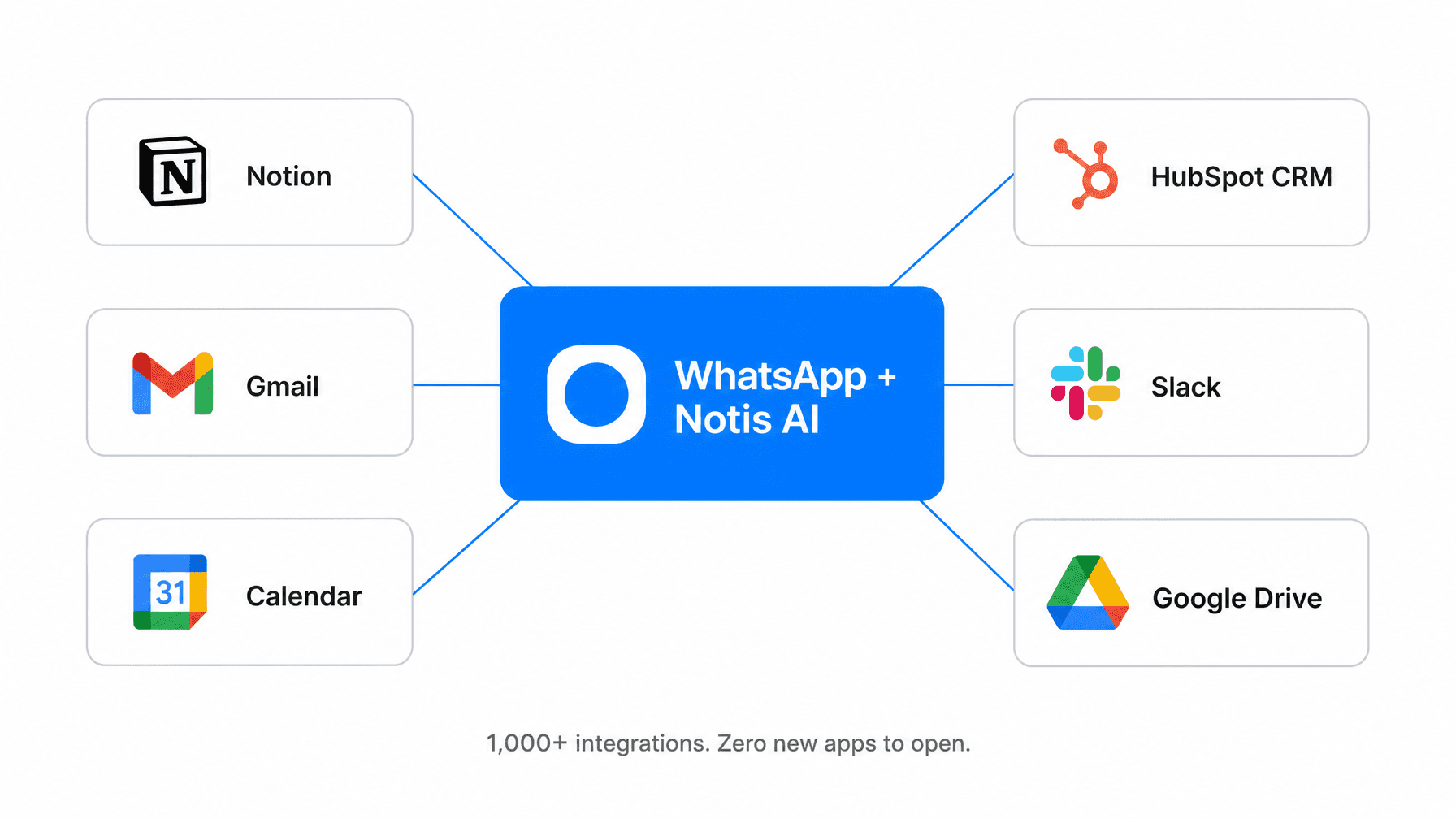
When the integration breadth is wide enough — Notion, Gmail, Google Calendar, HubSpot, Slack, Google Drive, Jira, and more — WhatsApp stops being just a messaging app and becomes the single interface from which you run operations. You don't go to each tool separately. You instruct one assistant, and it coordinates across all of them.
This is what "messaging-native AI" actually means. Not that the AI lives in a chat window somewhere. That the chat IS the operating system.
The Activation Cost Problem (and Why It Kills Most Tools)
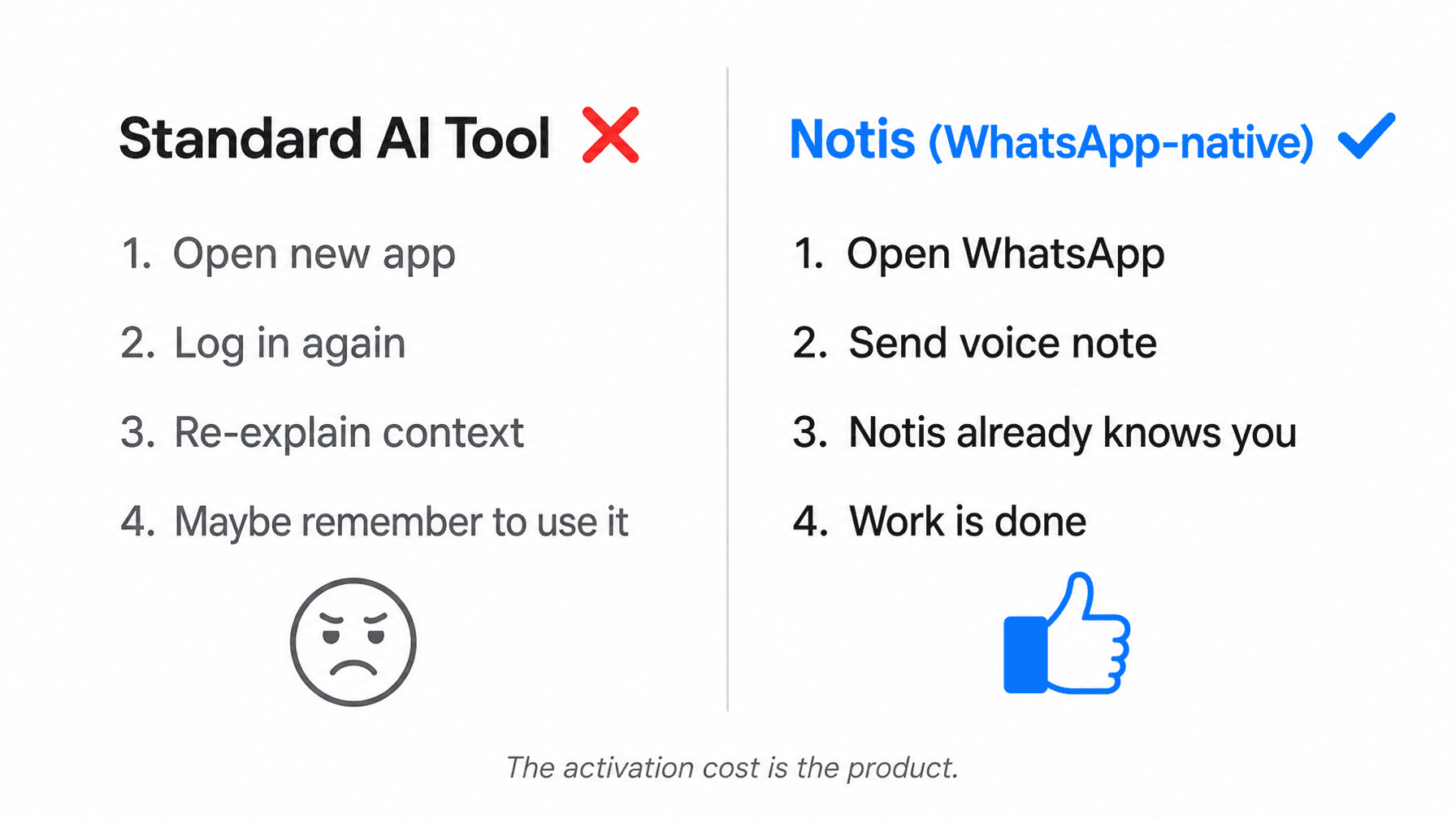
Here's the honest reason most AI tools fail founders: the activation cost is higher than the perceived value of using them.
Standard AI tool workflow: open new app — log in — re-explain your context — maybe remember to use it again tomorrow. WhatsApp AI assistant workflow: open WhatsApp — send voice note — done.
The second workflow wins every time — not because the AI is smarter, but because the entry point is already inside the most-opened app on your phone. The tool that survives is the one that shows up where you are, not the one you have to go find.
17,000+ founders have validated this. The tools with the highest retention are the ones with the lowest activation cost. A WhatsApp AI assistant is, structurally, the lowest-activation-cost AI available — it requires zero new habits. You already open WhatsApp dozens of times a day.
What to Look for in a WhatsApp AI Assistant
Not all WhatsApp AI tools are equal. Most are either customer-service chatbots (built for B2C businesses to handle inbound queries) or simple reminder bots. Neither is what a founder needs.
When evaluating a WhatsApp AI assistant for founder productivity, check for:
Execution depth: Does it take action, or just respond? Can it write to your Notion database, update a CRM record, or send a calendar invite?
Long-term memory: Does it know what you told it six weeks ago? Can it ingest your Notion workspace, Gmail history, and past conversations so you never have to re-explain your context?
Integration breadth: One or two integrations is a demo. 1,000+ integrations is a business tool. Make sure the apps you actually use are covered.
Voice note handling: The best WhatsApp AI assistants are built for voice-first capture. Transcription accuracy and downstream action quality both matter.
Multi-channel access: If you switch between WhatsApp, Telegram, iMessage, Slack, and email depending on the day, your AI should follow you. A single-channel assistant is a single point of failure.
Setup time: If it takes more than 30 minutes to start getting value, it's not designed for founders. It's designed for IT teams.
Notis: The WhatsApp AI Assistant Built for Founders Who Run in Chaos
Notis is a messaging-native AI assistant that lives in WhatsApp, Telegram, iMessage, Slack, and email. It's not a chatbot. It's not a reminder app. It's an AI intern that completes work across 1,000+ integrations — triggered by one voice note, one text, one message.
Notis has long-term memory with source ingestion. It ingests your Notion workspace, Gmail history, website, and Google Drive so it knows your business the way a real assistant does — not from what you tell it today, but from everything you've built. The context survives every conversation, every session, every weekend.
It's built specifically for ADHD founders and high-output operators who need their tools to embrace the chaos rather than resist it. No new app to learn. No onboarding ritual. No credit system. $13/month, all-in.
Start in 30 Seconds
The best WhatsApp AI assistant is the one you actually use. Not the most powerful one. Not the one with the best demo. The one you open reflexively because it's already where you are.
You open WhatsApp dozens of times a day. The question isn't whether to use a WhatsApp AI assistant. The question is how long you're willing to keep delegating work to the wrong inbox.

Flo is the founder of Mind the Flo, an Agentic Studio specialized into messaging and voice agents.
Related posts
What a WhatsApp AI Assistant Actually Does for Founders in 2026
Why Notion Is Winning the AI Knowledge War
Notion isn’t just bolting AI onto a workspace. It’s building the structured system of record that agents need to be useful, and that’s exactly why this strategy matters.
WhatsApp AI Assistant: What It Does and Why 17,000+ Founders Use One