

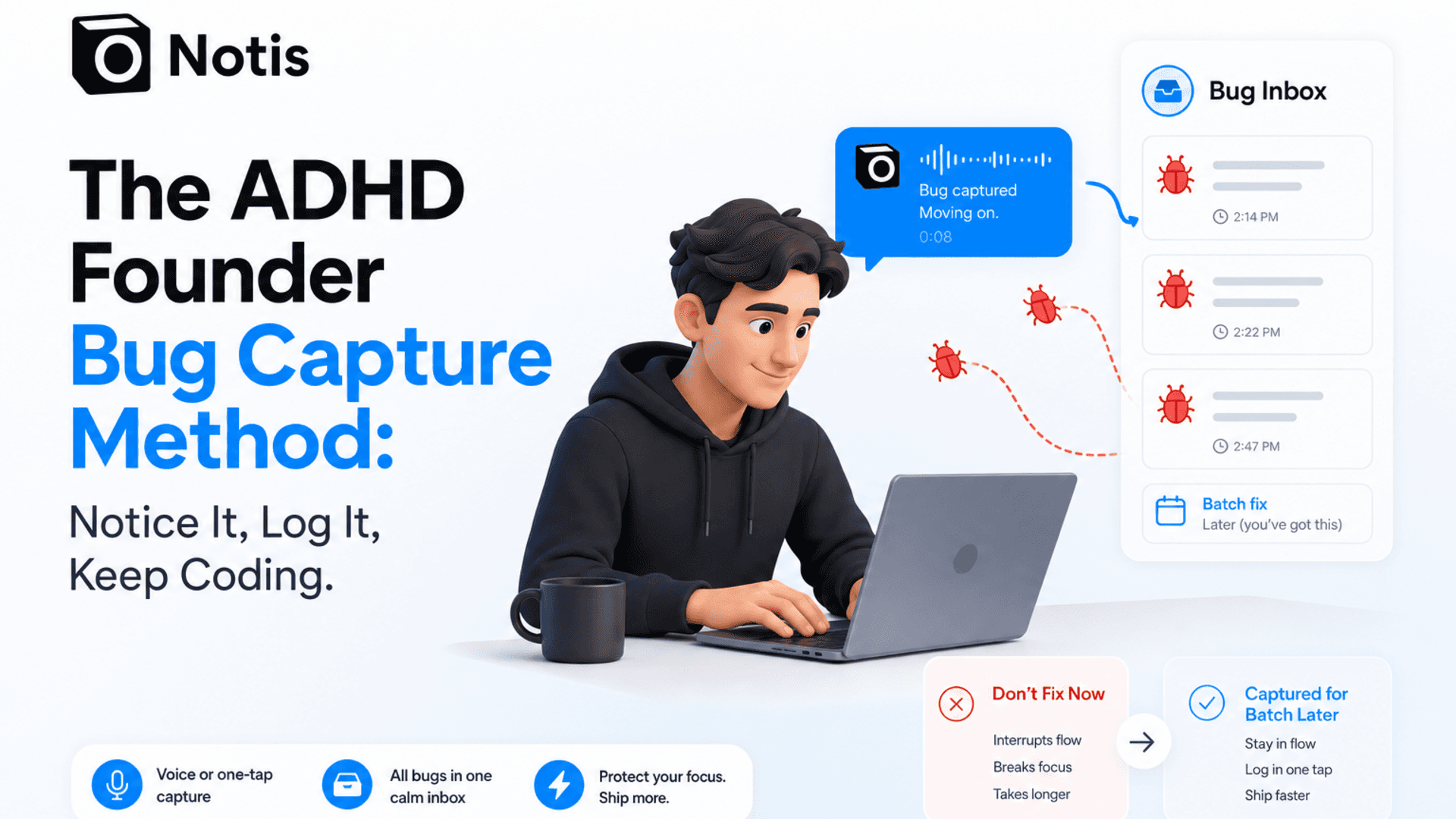
The ADHD Founder Bug Capture Method: Notice It, Log It, Keep Coding
A practical workflow for ADHD founders and developers who spot bugs mid-flow: capture the issue, protect your attention, and batch fixes later.
The bug is probably not urgent. Your brain is just very convincing.
If you are an ADHD founder who codes, builds, edits, writes, ships, or generally lives inside half-finished work, you know the trap. You are finally in flow. The feature is moving. The architecture is making sense. Then you notice one tiny bug. A button is misaligned. A webhook payload is weird. A label says “notice” instead of “Notis.” Suddenly your brain opens a courtroom and declares that this issue must be fixed immediately.
That is how a two-minute bug becomes a ninety-minute detour. You do not choose to context switch. You get emotionally mugged by your own backlog.
The fix is not to become more disciplined. Please. If discipline solved founder ADHD, we would all be running silent meditation retreats from perfectly groomed Linear boards. The fix is to give your brain a reliable capture system so it can stop screaming.
Search intent: how do I stop ADHD task switching when I notice bugs?
The real search intent behind this topic is not “what is bug tracking?” Developers already know how to track bugs. Founders already know what Jira, Linear, GitHub Issues, Notion, or a random Google Doc can do. The pain is more specific: “How do I notice a bug without losing the work I was doing?”
That matters because interruptions have a real cost. A classic study on interrupted work found that interruptions can increase speed while also increasing stress. Microsoft Research’s diary study of task switching and interruptions also describes how knowledge workers move between tasks in messy, fragmented ways. And in software teams specifically, research on task interruption in software development found that context, timing, and self-interruption can make some interruptions especially disruptive.
In founder English: the bug is not just a bug. It is a portal. Once you step through it, you have to reload your original task later. That reloading is expensive.
Why bugs feel urgent when they are not urgent
There is a very annoying reason bug distractions are so sticky. They are concrete. The feature you are building may still be abstract. The bug, however, is right there. It is visible. It has edges. It offers the delicious promise of closure.
ADHD brains often struggle with working memory, prioritization, and transitions. I am not pretending to diagnose anyone through a blog post, and this is not medical advice. But as a builder with an extremely interruptible brain, I can say this pattern is brutally familiar. The small visible problem feels safer than the large unfinished thing.
So your brain negotiates. “Just fix this one.” Then while fixing it, you see another thing. Then you open the wrong file. Then you refactor a helper. Then you forget the feature you started with. Congratulations, you have done work. You have also abandoned the work that mattered today.
The bug capture method
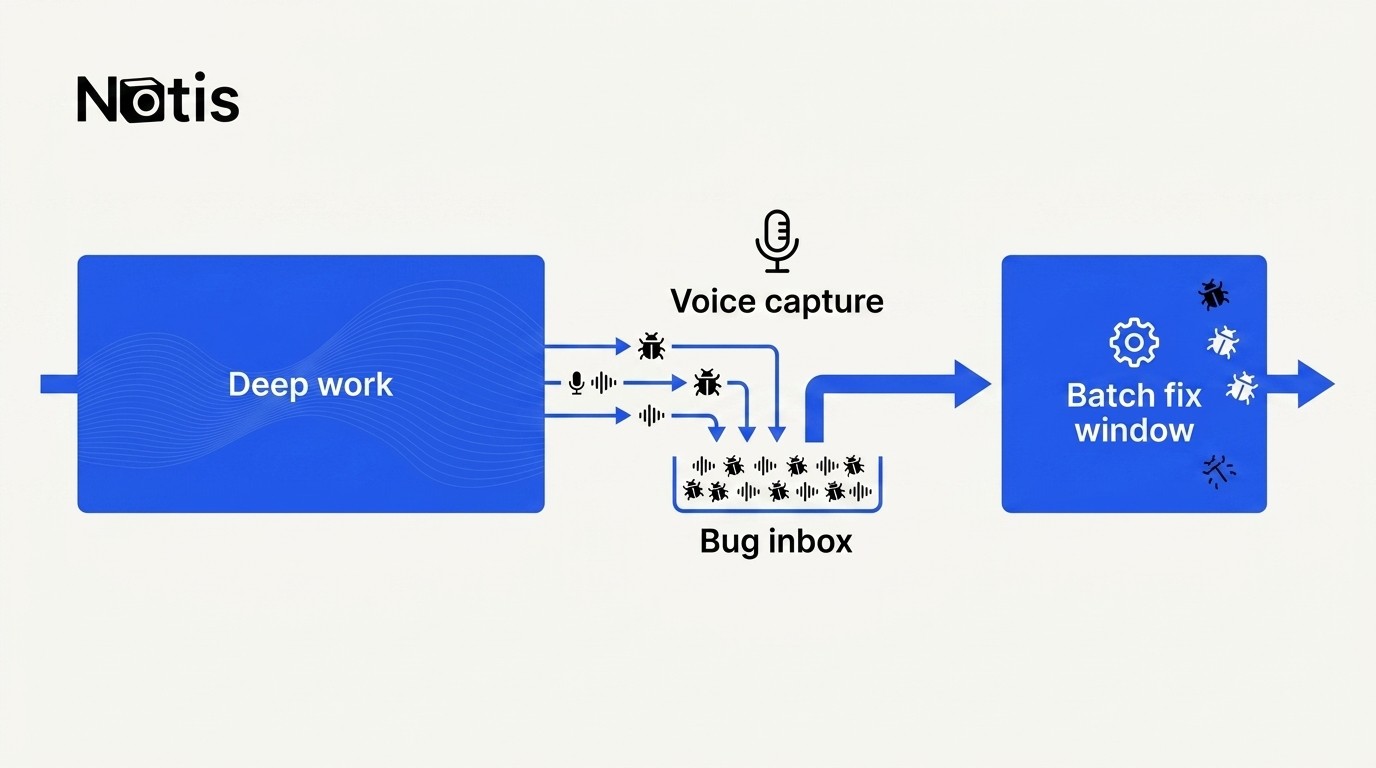
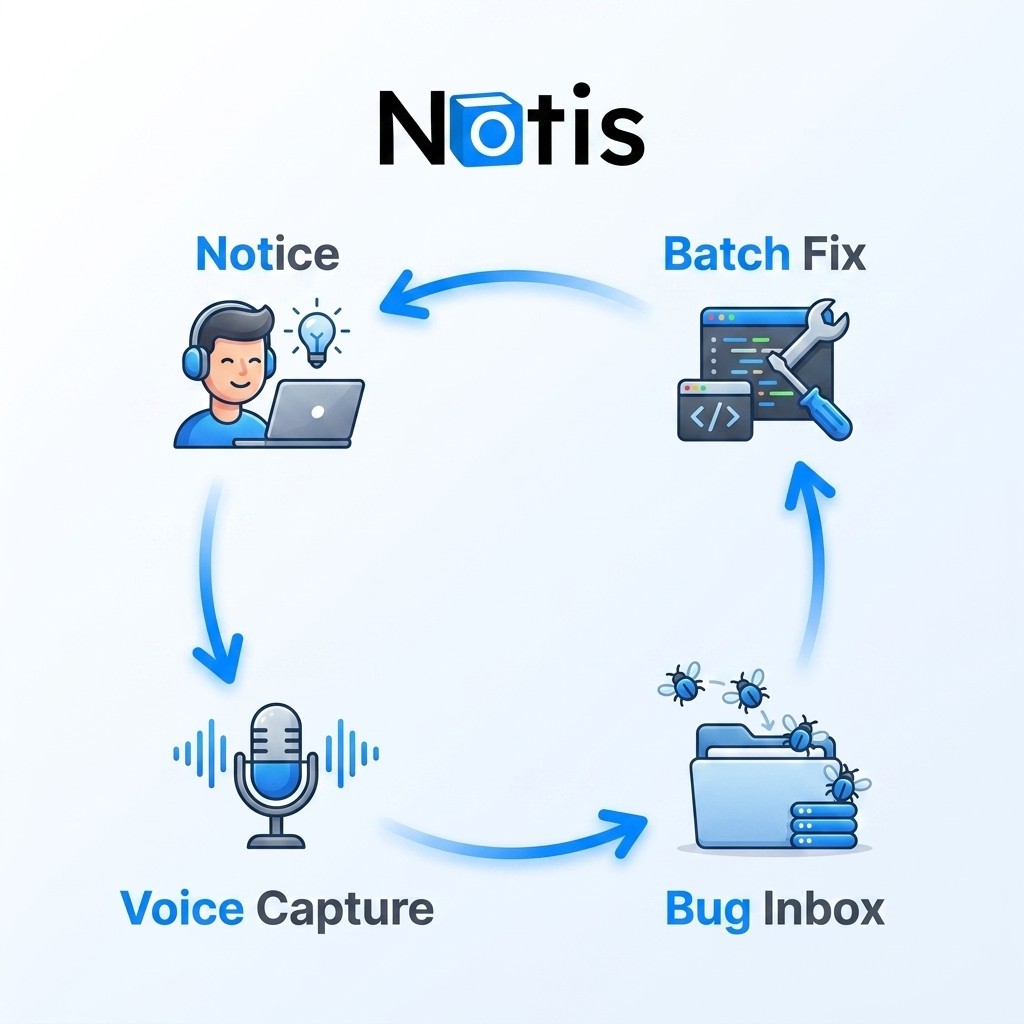
Here is the workflow I use with Notis: when I notice a bug during focused work, I do not open the bug tracker. I do not write a perfect ticket. I do not decide severity. I record a quick voice note.
Something like: “Notis, create a bug entry. On the onboarding screen, the confirmation button shifts down on mobile after the keyboard closes. Add it to the bug database. Not urgent.”
That is it. The bug leaves my head. The current task stays open. Later, when I actually have a bug-fix window, I can review the captured issues together and fix similar things in a batch.
The point is not faster bug tracking. It is safer attention.
Most productivity tools optimize the wrong part of this workflow. They ask, “How can we make bug tracking more structured?” Fine, structure is useful. But the founder problem happens before structure. It happens in the three seconds after you notice the bug.
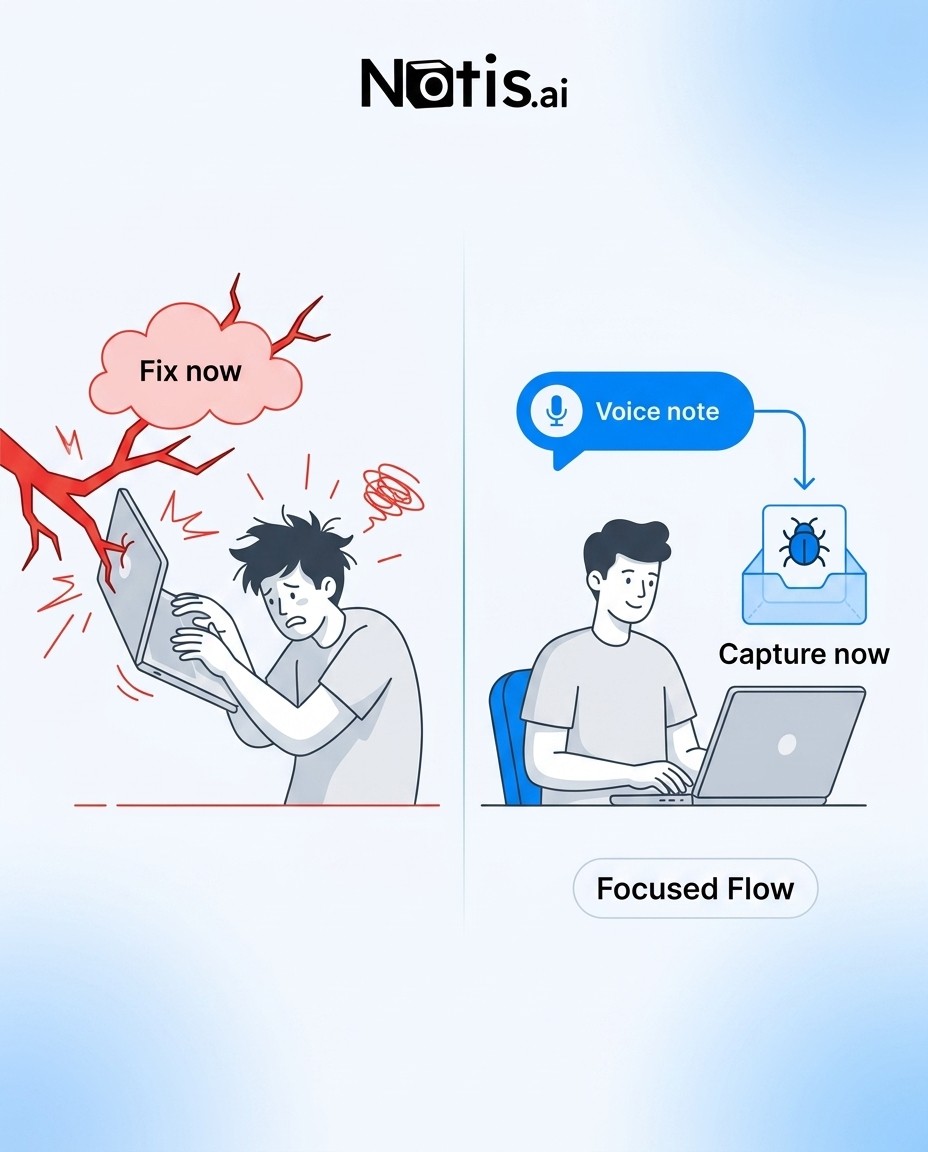
If the capture motion is too heavy, you will either ignore the bug and feel anxious, or you will fix the bug and lose flow. Both are bad. A good system gives you a third option: acknowledge it, capture it, trust it, continue.
This is why voice is underrated. Typing a bug into a database requires opening the database, finding the right view, naming the issue, choosing properties, and pretending you will not click into something else. Voice capture is lower friction. It matches the moment. You can speak the messy version and let the system clean it up.
What to capture in the voice note
The note does not need to be elegant. It needs to contain enough context for future you. Say where the bug appeared, what happened, what you expected, whether it feels urgent, and any clue that will help you reproduce it. If you know the likely area of the codebase, say that too. If you do not, do not invent certainty. The whole point is to avoid turning capture into investigation.
For example: “When I send an iMessage voice note longer than one minute, the transcript appears but the reminder extraction does not run. Saw it in production at 10:14. Probably not urgent, but check the automation run logs.” That is a usable ticket. It is not perfect. Perfect is how the trap starts.
Batch fixes by similarity, not by guilt
Once bugs are captured, do not let the backlog become another anxiety machine. Batch them by similarity. UI papercuts together. Webhook issues together. Mobile layout bugs together. Billing edge cases together. This protects your mental model. You are not jumping from CSS to OAuth to database migrations like a raccoon in a keyboard factory.
The batching window is where judgment belongs. During deep work, the only question is “Can I safely capture this?” During bug triage, the questions become “Is this urgent?”, “What else is related?”, and “What is the smallest fix?” Separating those decisions is the entire trick.
How Notis fits without becoming another dashboard
Notis works well here because it lives where the interruption already happens: in chat. WhatsApp, iMessage, Telegram, email, Slack, or the desktop manager. You can dump the bug in natural language, and Notis can turn it into a structured entry in the database you already use.
That could be a Notion bug database, a Notis native database, GitHub Issues, Linear, or whatever your stack supports through integrations and automations. The product detail matters less than the behavioral detail: you do not leave the flow state to maintain the system that is supposed to protect the flow state.
That is the Notis angle on ADHD productivity. Not another beautiful place to organize your chaos. A way to move the chaos out of your head before it hijacks your day.
The tiny rule that changes the day
Next time you notice a bug while building, do not ask, “Should I fix this?” That question is too tempting.
Ask: “Can I capture this well enough to fix later?”
If the answer is yes, record the note and keep going. If the bug is truly blocking the current task, fix it. If it is a security issue, production outage, or something that will hurt users right now, obviously do not be cute. Handle it.
But most bugs are not emergencies. They are attention traps wearing tiny red costumes. Capture them. Batch them. Keep coding.

Flo is the founder of Mind the Flo, an Agentic Studio specialized into messaging and voice agents.
Related posts
ADHD Hyperfocus Meeting Prep: Show Up Ready Without Breaking Focus
A practical ADHD-founder workflow for staying in hyperfocus while Notis automatically prepares a concise meeting brief from calendar, email, and CRM context before every call.
The ADHD Founder Brain Dump Method: One Voice Note, Then Back to Work
A practical, founder-first method for using voice notes in WhatsApp, iMessage, or any daily messaging app as an external memory system before racing thoughts turn into operational debt.
The Best AI Virtual Assistant for Administrative Tasks Is the One You Can Text
Solo founders do not need another dashboard. They need one place to dump admin work and get it done.